This section refers to the virtual database DemodataV you created under Creating a Virtual Database.
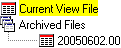
The qdmg script sets selected tables in the virtual database to point to audit records in the current view file. The default path for this file is C:\<installation directory>\Audit\data\amlog. As explained in this section, you can reset the path to an archived file if you know its name.
Archived file names are based on creation date, yyyymmdd.nn, where yyyy is year, mm is month, dd is day, and nn is number of archived file that day, starting with two zeroes. File names end in a capital V. The default folder for archived files is C:\<installation directory>\Audit\Arch.
When an archived file is compressed, it moves to a different folder, the default for which is C:\<installation directory>\Audit\Comp, and the V in the file name changes to Z. When the file is decompressed, it returns to the Arch folder and the Z changes back to V. As with queries within AuditMaster, direct queries run only on uncompressed records.
|
2
|
|
3
|
|
4
|
-- This script resets the virtual database to
-- the uncompressed archived file 20050602.00V.
ALTER TABLE AM$amlog IN DICTIONARY USING '\<installation directory>\Audit\Arch\20050602.00V';
ALTER TABLE Billing IN DICTIONARY USING '\<installation directory>\Audit\Arch\20050602.00V';
ALTER TABLE Class IN DICTIONARY USING '\<installation directory>\Audit\Arch\20050602.00V';
ALTER TABLE Course IN DICTIONARY USING '\<installation directory>\Audit\Arch\20050602.00V';
ALTER TABLE Department IN DICTIONARY USING '\<installation directory>\Audit\Arch\20050602.00V';
ALTER TABLE Enrolls IN DICTIONARY USING '\<installation directory>\Audit\Arch\20050602.00V';
ALTER TABLE Faculty IN DICTIONARY USING '\<installation directory>\Audit\Arch\20050602.00V';
ALTER TABLE Person IN DICTIONARY USING '\<installation directory>\Audit\Arch\20050602.00V';
ALTER TABLE Room IN DICTIONARY USING '\<installation directory>\Audit\Arch\20050602.00V';
ALTER TABLE Student IN DICTIONARY USING '\<installation directory>\Audit\Arch\20050602.00V';
ALTER TABLE Tuition IN DICTIONARY USING '\<installation directory>\Audit\Arch\20050602.00V';
-- the uncompressed archived file 20050602.00V.
ALTER TABLE AM$amlog IN DICTIONARY USING '\<installation directory>\Audit\Arch\20050602.00V';
ALTER TABLE Billing IN DICTIONARY USING '\<installation directory>\Audit\Arch\20050602.00V';
ALTER TABLE Class IN DICTIONARY USING '\<installation directory>\Audit\Arch\20050602.00V';
ALTER TABLE Course IN DICTIONARY USING '\<installation directory>\Audit\Arch\20050602.00V';
ALTER TABLE Department IN DICTIONARY USING '\<installation directory>\Audit\Arch\20050602.00V';
ALTER TABLE Enrolls IN DICTIONARY USING '\<installation directory>\Audit\Arch\20050602.00V';
ALTER TABLE Faculty IN DICTIONARY USING '\<installation directory>\Audit\Arch\20050602.00V';
ALTER TABLE Person IN DICTIONARY USING '\<installation directory>\Audit\Arch\20050602.00V';
ALTER TABLE Room IN DICTIONARY USING '\<installation directory>\Audit\Arch\20050602.00V';
ALTER TABLE Student IN DICTIONARY USING '\<installation directory>\Audit\Arch\20050602.00V';
ALTER TABLE Tuition IN DICTIONARY USING '\<installation directory>\Audit\Arch\20050602.00V';
Note The script alters the table location property for AM$amlog in the virtual database and also for all of its copies of the data tables found in the audited database. When you write your own version of this script, be sure you do not alter the table location property for the following virtual database tables: AM$Components, AM$OpList, AM$Products, AM$Tables.
|
7
|
After the script runs, you may want to select File Save SQL Query As to keep it for reuse, perhaps under a name such as 20050602.00V.sql.
|
The delta query you ran under section Running a Query on the Current View File should now return the same result as when you ran it against the current view, since those audit records have been moved into the archived file to which the virtual database now points.
|
1
|
ALTER TABLE AM$amlog IN DICTIONARY USING '\<installation directory>\Audit\DATA\amlog';
ALTER TABLE Billing IN DICTIONARY USING '\<installation directory>\Audit\DATA\amlog';
ALTER TABLE Class IN DICTIONARY USING '\<installation directory>\Audit\DATA\amlog';
ALTER TABLE Course IN DICTIONARY USING '\<installation directory>\Audit\DATA\amlog';
ALTER TABLE Department IN DICTIONARY USING '\<installation directory>\Audit\DATA\amlog';
ALTER TABLE Enrolls IN DICTIONARY USING '\<installation directory>\Audit\DATA\amlog';
ALTER TABLE Faculty IN DICTIONARY USING '\<installation directory>\Audit\DATA\amlog';
ALTER TABLE Person IN DICTIONARY USING '\<installation directory>\Audit\DATA\amlog';
ALTER TABLE Room IN DICTIONARY USING '\<installation directory>\Audit\DATA\amlog';
ALTER TABLE Student IN DICTIONARY USING '\<installation directory>\Audit\DATA\amlog';
ALTER TABLE Tuition IN DICTIONARY USING '\<installation directory>\Audit\DATA\amlog';
ALTER TABLE Billing IN DICTIONARY USING '\<installation directory>\Audit\DATA\amlog';
ALTER TABLE Class IN DICTIONARY USING '\<installation directory>\Audit\DATA\amlog';
ALTER TABLE Course IN DICTIONARY USING '\<installation directory>\Audit\DATA\amlog';
ALTER TABLE Department IN DICTIONARY USING '\<installation directory>\Audit\DATA\amlog';
ALTER TABLE Enrolls IN DICTIONARY USING '\<installation directory>\Audit\DATA\amlog';
ALTER TABLE Faculty IN DICTIONARY USING '\<installation directory>\Audit\DATA\amlog';
ALTER TABLE Person IN DICTIONARY USING '\<installation directory>\Audit\DATA\amlog';
ALTER TABLE Room IN DICTIONARY USING '\<installation directory>\Audit\DATA\amlog';
ALTER TABLE Student IN DICTIONARY USING '\<installation directory>\Audit\DATA\amlog';
ALTER TABLE Tuition IN DICTIONARY USING '\<installation directory>\Audit\DATA\amlog';
Note The script alters the table location property for AM$amlog in the virtual database and also for all of its copies of the data tables found in the audited database. When you write your own version of this script, be sure you do not alter the table location property for the following virtual database tables: AM$Components, AM$OpList, AM$Products, AM$Tables.
|
4
|
After the script runs, you may want to select File Save As to keep it for reuse, perhaps under a name such as currentview.sql.
|
The delta query you ran under section Running a Query on the Current View File will now return a result for the current view instead of for the archived file.
|
1
|
|
2
|
A special script populates the database. Use the Query Data-Model Generator utility qdmg to automate the writing of this script.
|
|
3
|
Create a database on the same volume as the AuditMaster installation root (e.g., default C:\<installation directory>\Audit).
|
|
4
|
Run the qdmg script in the database.
|
|
5
|
|
2
|
Use the qdmg utility to create a virtual database for the database of the tables you’re monitoring so that you can run delta queries against captured audit records to find the alert condition.
|
|
3
|
Create an AuditMaster alert and enter amda.exe as the RunProgram action and set its parameters.
|
The details of these steps are given under Delta Alert Example, which shows how to create a working sample of a delta alert on the Demodata database.