You must use the qdmg utility on the monitored database to enable the delta alert feature to run. This example uses Demodata.
|
3
|
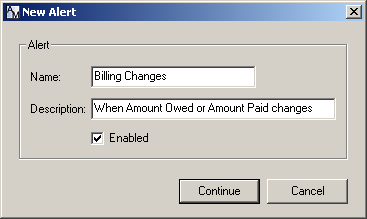
In AuditMaster, using the steps given under Working with Alerts, create the following alert:
|
|
5
|
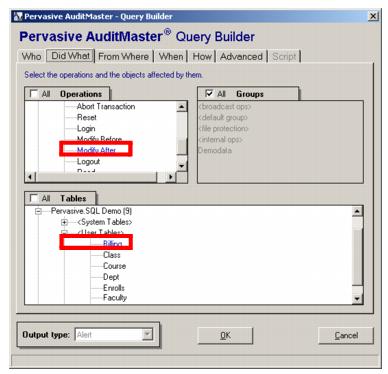
For Tables, under User Tables select Billing.
|
|
6
|
In the Action for Alert dialog box, select RunProgram.
|
|
7
|
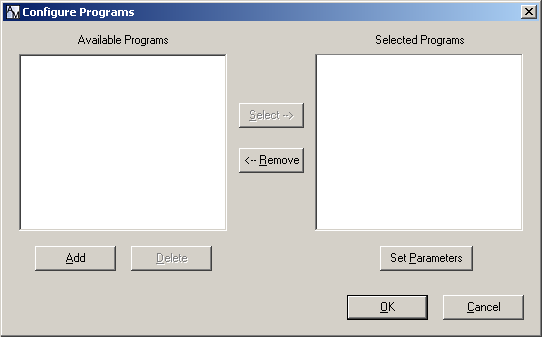
To configure RunProgram, add and select amda.exe, which is found in a default installation in C:\<installation directory>\Audit\bin\.
|
|
8
|
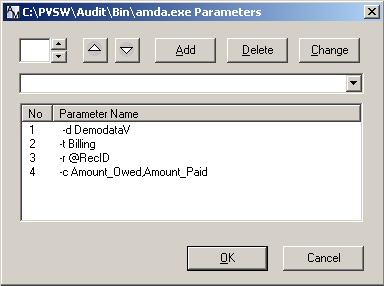
|
9
|
From: Auditmaster
Sent: Wednesday, June 08, 2005 3:14 PM
To: DeltaAlertRecipients
Subject: Delta Alert Fired on Record ID 11392
Sent: Wednesday, June 08, 2005 3:14 PM
To: DeltaAlertRecipients
Subject: Delta Alert Fired on Record ID 11392
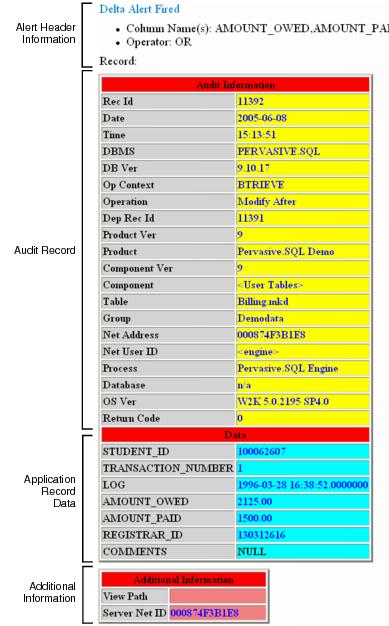
Figure B‑1 Structure of a Delta Alert Email Message