AWS S3
Add the following permissions to the S3 bucket for the IAM user whose credentials (key and secret) will be used:
- s3:GetBucketLocation
- s3:ListBucket
- s3:GetObject
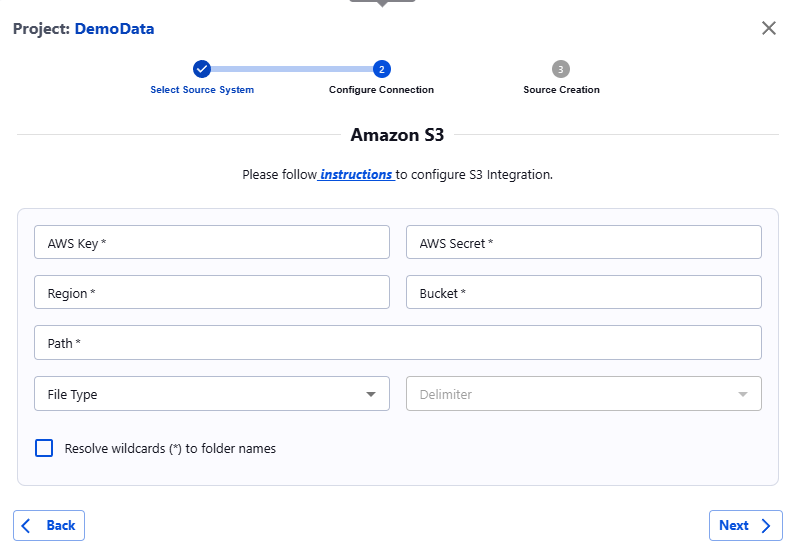
Once the permissions are granted, proceed to the Actian Data Observability UI and enter the required information:
- AWS Key: Your AWS access key.
- AWS Secret: Your AWS secret access key.
- Region: The AWS region where your S3 bucket is located.
- Bucket: The name of your S3 bucket.
- Path: The full path to the file in the bucket or the full path of the folder containing all files to be scanned. If specifying a folder, ensure all files have the same extension (e.g., .csv, .json, .parquet).
- Delimiter (Optional): Choose the delimiter used in your files (e.g., comma, tab, space).
Last modified date: 03/20/2026