Azure Blob
Actian Data Observability connects to Azure Blob Storage (Azure File) using SAS (Shared Access Signature) token authentication. Follow the steps below to set up the connection. To create a SAS token, follow the instructions provided here:https://learn.microsoft.com/en-us/azure/ai-services/Translator/document-translation/how-to-guides/create-sas-tokens?tabs=Containers
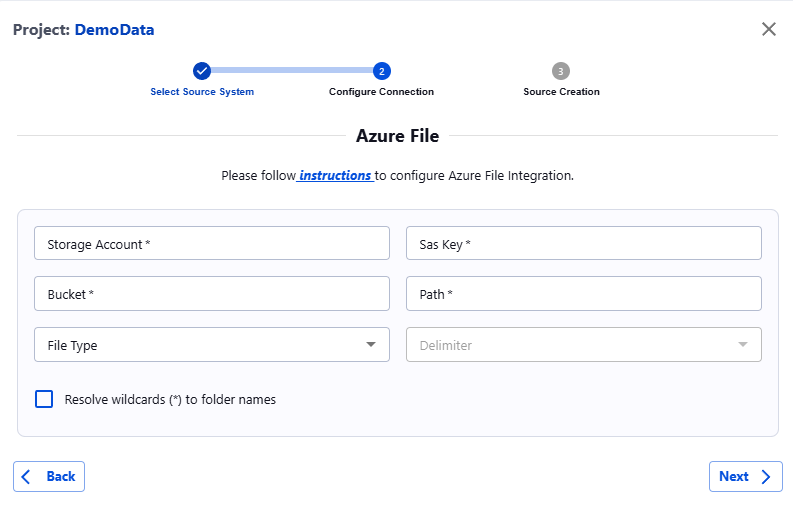
Once the SAS token is generated, navigate to the Actian Data Observability UI and enter the following details:
- Storage Account: Your Azure Storage account name.
- SAS Key: The SAS token generated in the previous step.
- Bucket: The name of the Azure Blob container.
- Path: The path to a specific file or folder within the container.
- Delimiter (Optional): Specify the delimiter if the files are in CSV format.
Last modified date: 03/20/2026