Azure OneLake
Data Observability connects to Azure OneLake using Client ID and Secret. Follow the steps below to set up the connection.
Creating a connection
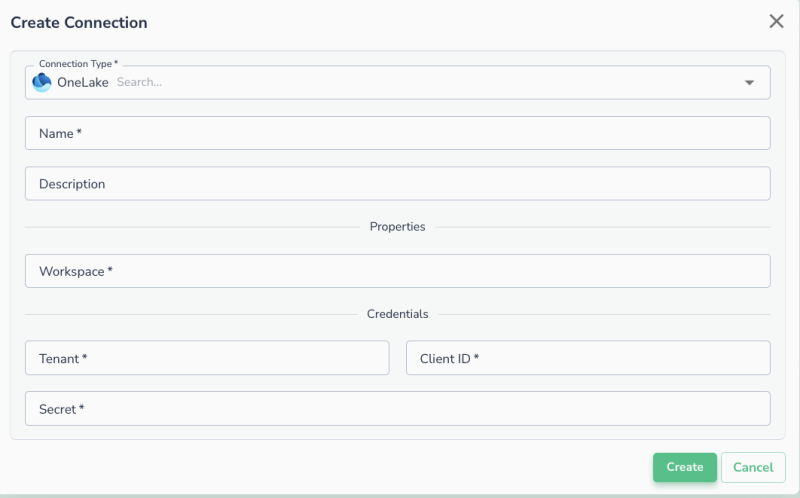
Once the client ID and secret are generated, navigate to the Data Observability UI and enter the following details to create a new connections:
- Workspace: Fabric workspace id
- Tenant: Fabric tenant
- Client ID
- Client Secret
Connecting an asset
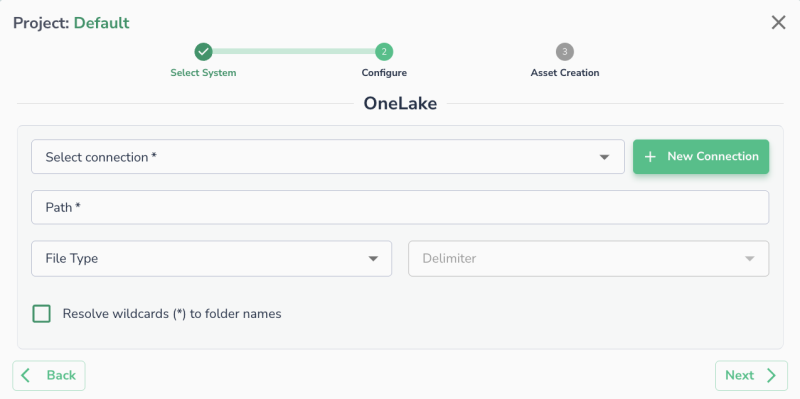
Once a connection is defined, you can start using it to create assets. To create assets, you will need:
- Path: The path to a specific file or folder within the container.
- File Type (Optional)
- Delimiter (Optional): Specify the delimiter if the files are in CSV format.
Last modified date: 03/20/2026