Google BigQuery
- Go to Google BigQuery and locate your project: Google Big Query/<project>/<dataset>
- Click on Share or Add Member.
- In the New Member field, enter the Actian Data Observability-provided service account. Please note each Actian Data Observability tenant has a unique service account, so be sure to follow the instructions here to obtain your specific service account and the necessary permissions it requires.
- Assign the following roles to the service account:
Role: BigQuery -> BigQuery Data Viewer
Role: BigQuery -> BigQuery Metadata Viewer - Save the settings.
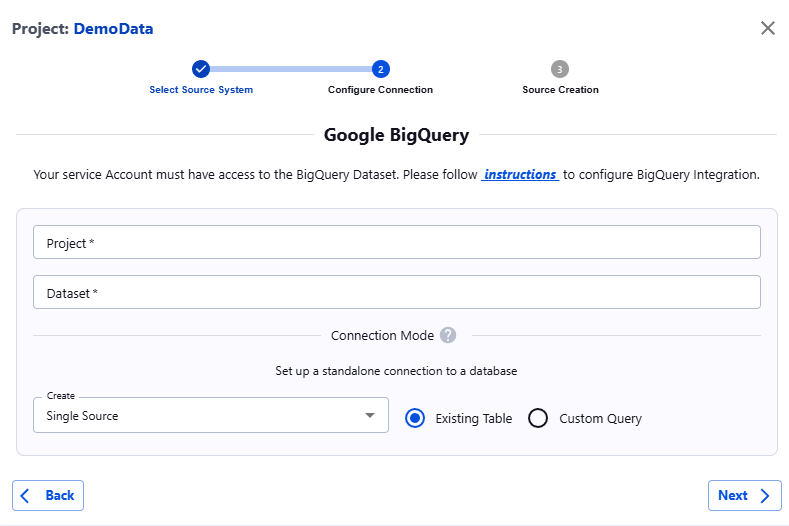
- Once the prerequisites are completed, navigate to Actian Data Observability. Click on the +Add button, select the BigQuery icon, and enter your Project and Dataset information.
Last modified date: 03/20/2026