Slack Integration
You can integrate Slack for receiving alert notifications from the Actian Data Observability Platform.
Instructions
To send notifications to a Slack channel:
- Create a new Slack app with sufficient privileges to post messages to a public Slack channel
- Create a new alert channel for slack communications in Data Observability
Create a new Slack app
- Navigate to Slack API apps. The page opens in a new tab
- Sign in or create an account
- Select Create an App
- Set App Name to "Actian Data Observability Notifier”
- Select the Development Slack Workspace where you'd like the Slack Bot to post messages, and then click Create App.
- In the navigation panel, select OAuth & Permissions.
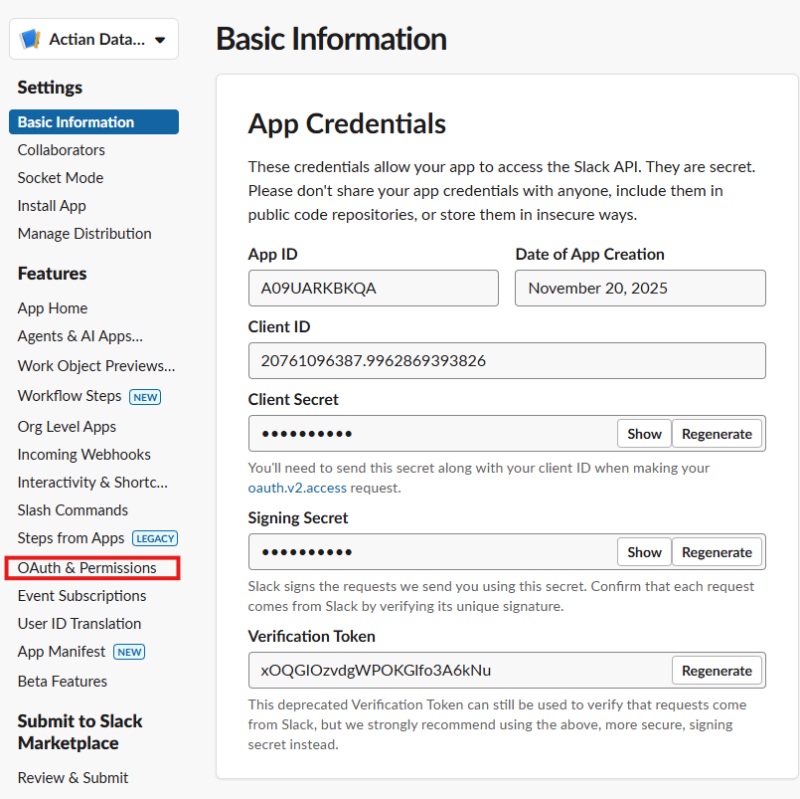
- Navigate to the Scopes/Bot Token Scopes, click Add an OAuth Scope then select chat:write and chat:write.public.
- Scroll to the top of the OAuth & Permissions page and click Install App to Workspace.
- In the confirmation dialog, click Allow (save the Bot User OAuth Access Token for use in the Actian Data Observability channel).
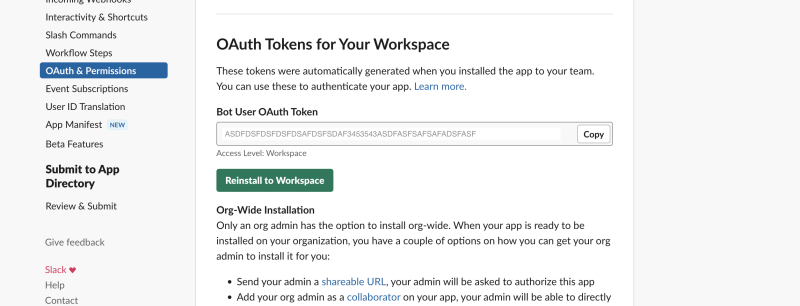
Create a Slack alert channel in the Data Observability Platform
- Click on Alerting Policies in the left hand menu
- Click on Manage Alert Channels
- Click on + Alert Channel
- Select Slack in Alert Channel Type drop down
- Enter Channel Name
- Enter token from Bot User OAuth Access Token
- Enter the slack channel you want to receive alerts. (You can add multiple channels by clicking on Add)
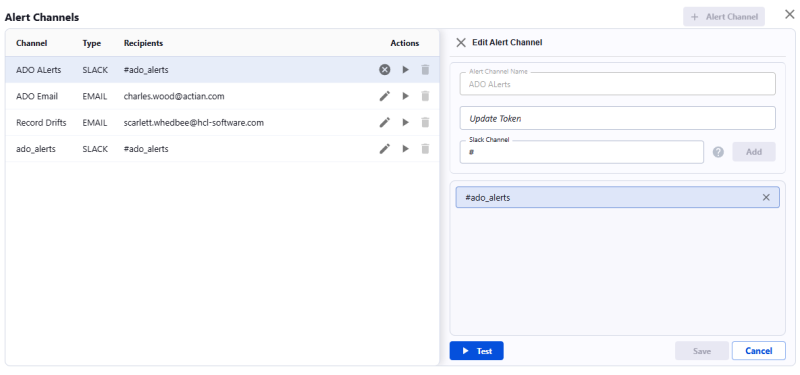
- Click on Test. The Data Observability Platform will send a test message to the provided channels
- If everything looks good, click on SaveNote Select this channel in alert settings so it can be is used for notifications.
Last modified date: 03/20/2026