Code Server
Code Server is a core platform service that provides a browser-based, full-featured integrated development environment (IDE) for building data processing scripts and ML models. It is a hosted, preconfigured instance of Coder code-server, which runs the open-source edition of Visual Studio Code (MIT license) in a web browser.
Note: Code Server is a hosted, open-source tool. Actian does not maintain a custom VS Code fork. For editor-specific features, including debugging, extensions, and settings synchronization, see the VS Code documentation.
Key Features
• Open-source VS Code base: Code Server is built on the Visual Studio Code, which provides a familiar interface and feature set consistent with the desktop application.
• Preinstalled data science stack: The environment comes ready for development with the following tools and libraries preinstalled:
Category | Included items |
|---|---|
Languages and frameworks | Python, PySpark |
Data libraries | NumPy, Pandas, Matplotlib |
Extensions | Jupyter Notebook, Python |
• Database connectivity: Includes the Actian client and ODBC driver for direct communication with the Analytics Engine.
• Customization: You can install additional extensions from the Open VSX Registry. All customizations, including installed extensions are backed by persistent storage and remain available after a warehouse restart.
Note: You can access Code Server through a browser by using the warehouse hostname and a JWT bearer token.
Enabling Code Server
By default, Code Server is disabled. To enable it, follow these steps:
1. Sign in to the Actian Analytics AI Platform, and navigate to the Warehouses Console.
2. In the left navigation pane, turn on the ML Services toggle to enable ML services.
3. Select Code Server in the left navigation pane to open the IDE in a new browser tab.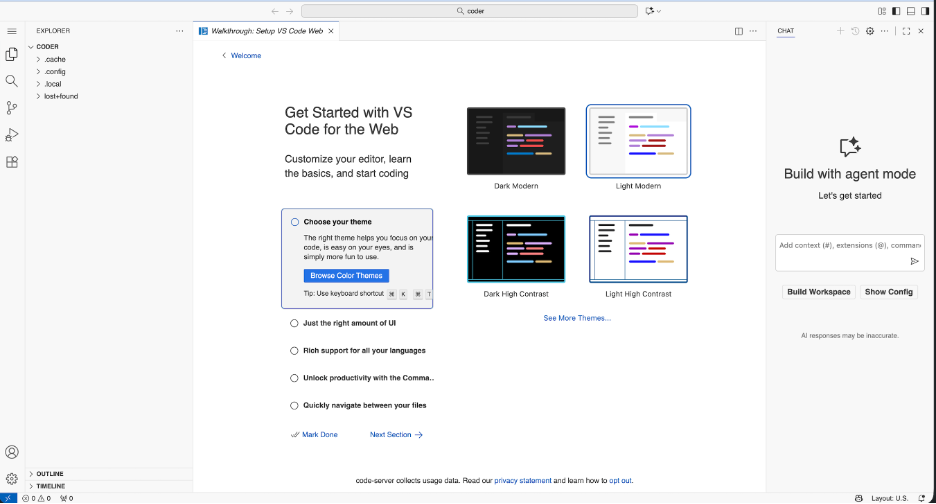
Preinstalled Software
Code Server is preconfigured with a Python virtual environment located in the container user's home folder.
Note: The container runs as a non-root user without sudo access.
To inspect the current environment, run the following commands in the Code Server integrated terminal:
List all installed Python packages in the active virtual environment:
Bash
pip list
List all exported environment variables:
Bash
env
Show the active Python interpreter:
Bash
which python
Last modified date: 06/02/2026