---
description: Connect Microsoft Fabric to Actian AI Analyst
---
# Microsoft Fabric
Actian AI Analyst can connect directly to your Microsoft Fabric data warehouse using a service principal from your Microsoft Entra (Azure AD) tenant.
#### Step 1: Create an App Registration in Microsoft Entra ID
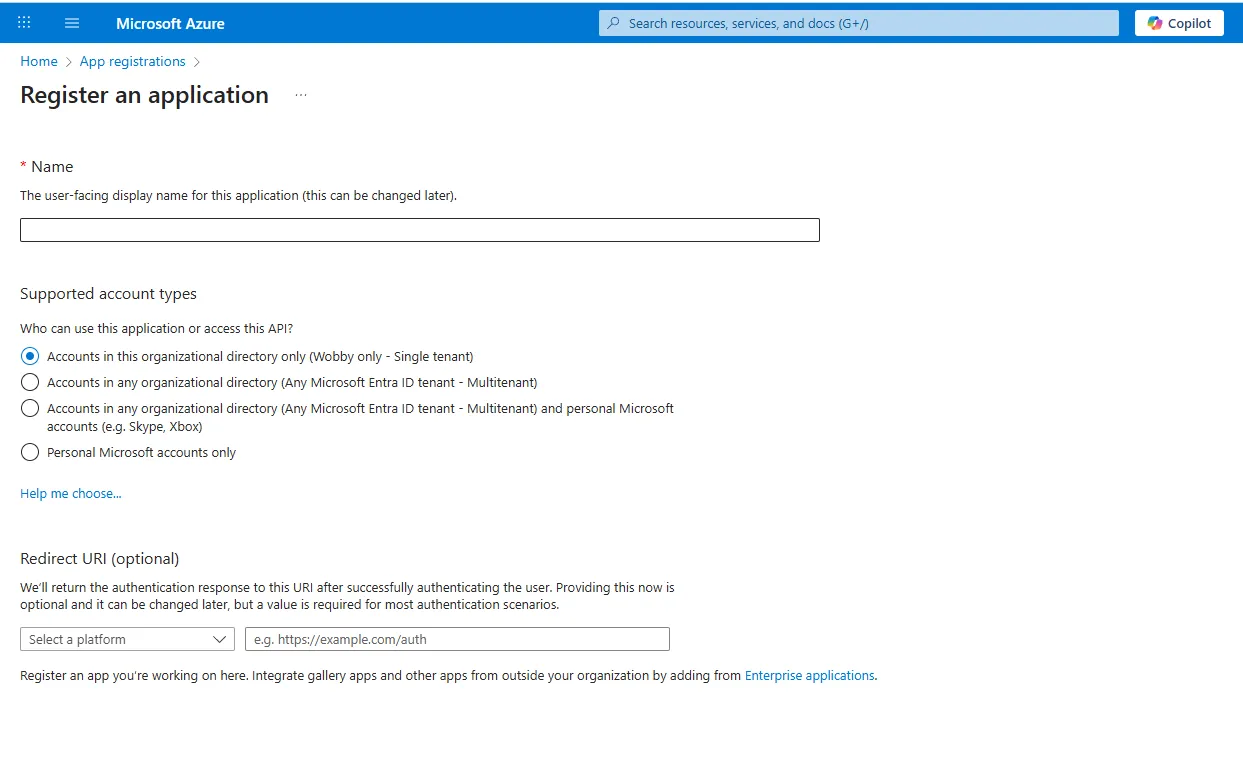
1. Go to the **Azure Portal** → **Microsoft Entra ID** → **App registrations**.
2. Click **New registration**.
* **Name**: Can be anything (e.g., `actian-analyst-fabric-access`).
* **Supported account types**: _Single tenant_.
* **Redirect URI**: Leave blank.
***
#### Step 2: Note Your Tenant and Client IDs
After creating the app, copy:
* **Directory (tenant) ID**
* **Application (client) ID**
You'll need these later for the Actian AI Analyst connection form.
***
#### Step 3: Create a Client Secret
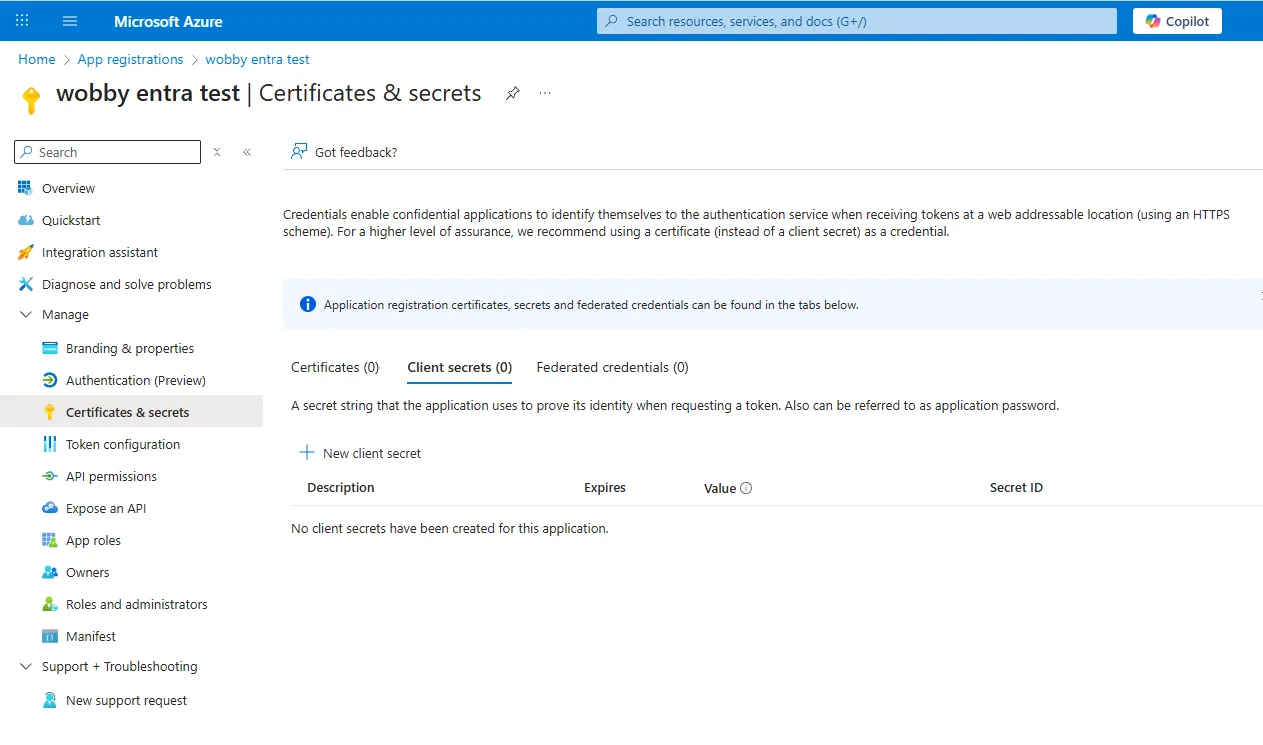
1. In your app registration, go to **Certificates & secrets**.
2. Under **Client secrets**, click **New client secret**.
3. Add a description (e.g., `actian-analyst-fabric-secret`) and choose an expiry period.
4. **Important**: Copy the **Value** (not the Secret ID) immediately and store it securely.
* You won't be able to view the value again once you leave the page.
***
#### Step 4: Grant Database Access to the Service Principal
Run the following commands in your Fabric SQL database to grant read access:
```sql
CREATE USER [] FROM EXTERNAL PROVIDER;
ALTER ROLE db_datareader ADD MEMBER [];
```
* Replace `` with your app registration's display name.
* Use `db_datareader` for read-only access (recommended).
* Only use `db_owner` if the agent needs full control — generally **not** needed for Actian AI Analyst.
***
#### Step 5: Add the Connection in Actian AI Analyst
1. Click **Connections → Plus button → Select Microsoft Fabric**.
2. Fill in the form:
| Field | Value |
| ----------------- | --------------------------------------------------------------------------------------- |
| **Display Name** | How you want the source to appear in Actian AI Analyst |
| **SQL Host** | Your Fabric SQL host (ends with `.datawarehouse.fabric.microsoft.com`) |
| **Database** | The Fabric database name |
| **Schema** | The schema to use (often `dbo`) |
| **Tenant ID** | From Step 2 |
| **Client ID** | Application (client) ID from Step 2 |
| **Client Secret** | From Step 3 |
***