Managing Notifications
The Actian Data Intelligence Platform provides a flexible notification system that keeps users informed about key activities. In addition to built-in email notifications, you can configure webhooks to support custom notification workflows.
If you want to customize the visual branding of notification emails, such as logos and colors, see White-Labeling.
Configure Notification Settings
- Open Administration.
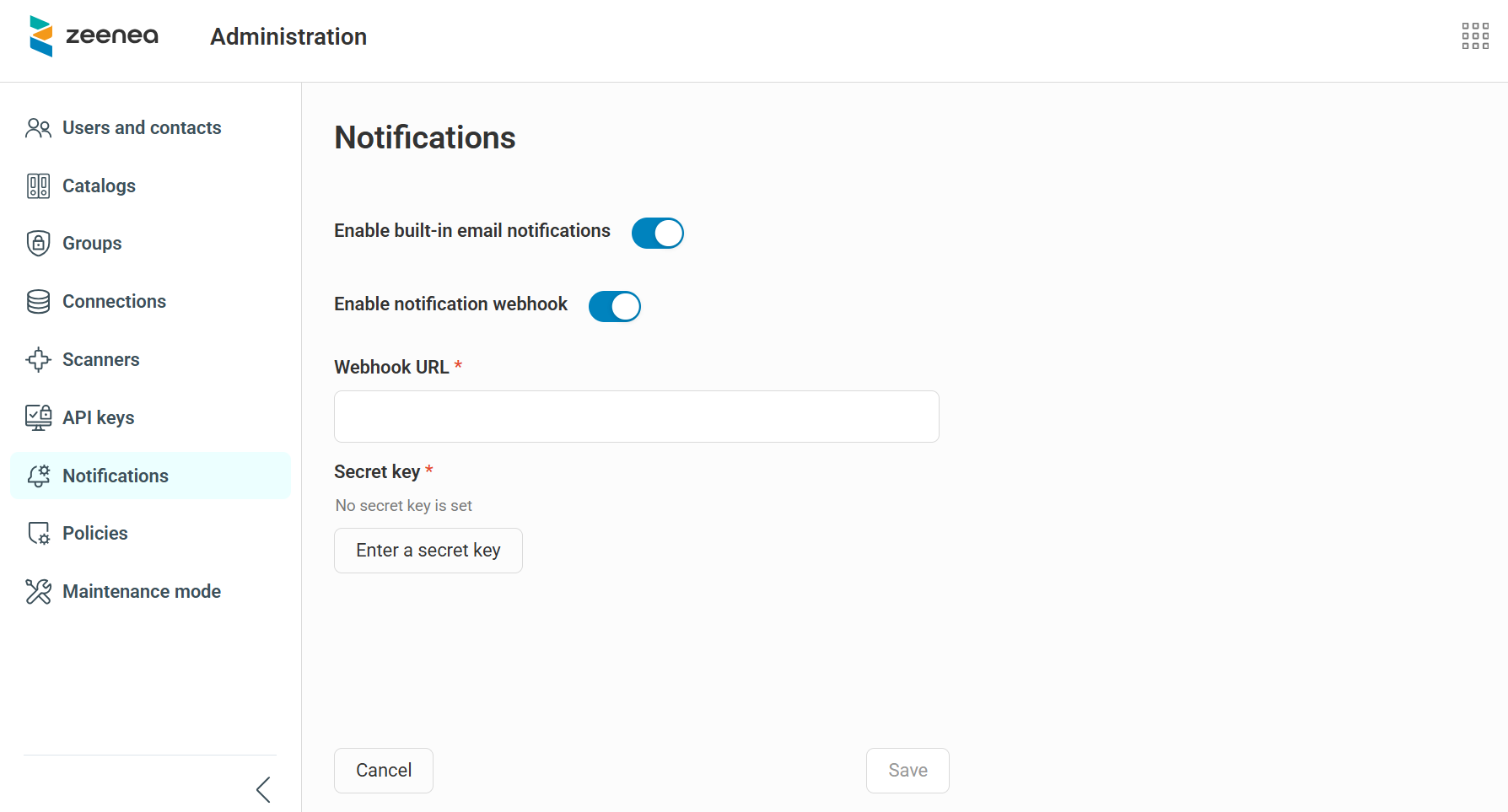
- Go to the Notifications section.
-
Choose how notifications are sent by enabling one or both of the following options:
-
Built-in email notifications: To use the default email notification system, turn on the Enable built‑in email notifications toggle.
-
Webhook notifications: To send notifications through a webhook, turn on the Enable notification webhook toggle. The webhook uses HMAC‑based security. When you enable this option, provide the following information:
-
In the Webhook URL field, enter the destination URL.
-
In the Secret key field, enter your security key (up to 4,096 characters) to sign webhook messages.
-
Note
By default, built-in email notifications are enabled and webhook notifications are disabled.
-
-
Click Save.
Important
The webhook system does not keep a history of sent notifications. You cannot resend a notification if delivery fails.
Supported Notification Events
A single webhook handles all supported notification events. The webhook payload includes:
-
Event details, such as the event type, date, and content.
-
Notification details, such as the recipient user, email address, and date.
The following events trigger notifications:
-
Suggestions: Creating a suggestion or accepting or declining a suggestion.
-
Access requests: Creating an access request or approving or rejecting a request.
Note
Auth0‑related notifications are not managed through this configuration.
Webhook Payload Examples
Access Request Payload Example
The following is an example of the payload sent when an access request is created, approved, or rejected.
{
   "notification": {
      "recipient": {
         "name": "John Doe",
         "email": "john.doe@nobody.com"},
      "publishedAt":"2026-02-18T03:44:09Z" // UTC date
      },
   "event": {
      "type": "access request",
      "role": "approver|requester",
      "status": "Pending|Approved|Rejected",
      "callbackLink": "https://<permalink>",  // permanent URL of the item (using zeenea.app domain)
      "item":{
         "id": "7c5cacfe-2214-4857-96d5-79a79b92b7e2",
         "key": "item key",
         "name": "the requested item"
      },
      "latestComment": {
         "author": "Jane Doe",
         "content": "lorem ipsum dolor sit amet"
      }
   }
}
Suggestion Payload Example
The following is an example of the payload sent when a suggestion is created or reviewed.
{
   "notification": {
      "recipient": {
         "name": "John Doe",
         "email": "john.doe@nobody.com"},
      "publishedAt": "2026-02-18T03:44:09Z" // UTC date
   },
   "event": {
      "type": "suggestion",
      "role": "creator|reviewer",
      "action": "creation|review",
      "callbackLink": "https://<permalink>",  // permanent URL of the item (using zeenea.app domain)
      "item": {
         "id": "7c5cacfe-2214-4857-96d5-79a79b92b7e2",
         "key": "item key",
         "name": "the item requested"},
      "suggestion": {
         "author": {
            "name": "Jane Doe",
            "email": "jane.doe@gmail.com"},
         "content": "lorem ipsum dolor sit amet"},
      "review": {  // review is only filled when action is "review"
         "reviewer": "John Doe",
         "email": "john.doe@gmail.com",
         "comment": "lorem ipsum dolor sit amet",
         "status": "accepted|rejected"}
   }
}