Adding an Actian Zen Connection
Prerequisites
- The current Scanner version requires Java 11. Either OpenJDK or Oracle JDK can be installed.
- It is assumed that the Zeenea Scanner has been successfully downloaded and configured. See Zeenea Scanner Setup.
Installing the Generic JDBC Connector Plugin
- Download the Generic JDBC connector plugin from the Zeenea Connector Downloads, or download directly at https://plugins.zeenea.app/jdbc-connector-plugin/jdbc-connector-plugin-74.zip.
- Move the zip file to the
[scanner_install_dir]/pluginsfolder. Do not unzip the archive.
Installing Actian Zen Drivers
- Download Actian Zen Drivers from Actian ESD. Select Actian Zen (PSQL) in the PRODUCT dropdown and select SDKs in the PLATFORM dropdown.
-
Extract the following four files from the
binfolder of the zip file and copy them to the[scanner_install_dir]/lib-extfolder:jpscs.jarpvjdbc2.jarpvjdbc2x.jarpvjdbc2.dll
Creating the Configuration File
- In the
[scanner_install_dir]/connectionsfolder, create a new file namedzen-psql.conf. (The file can be named as desired, but the file extension must be.conf.) -
Copy and modify the content below based on your environment configuration, replacing
<HOST-NAME>,<DATABASE>,<USER>, and<PASSWORD>with the appropriate values for your environment.# Customizable values for code and name code = "actian-zen-connector-id" name = "actian-zen-connector-name" # Connector ID (do not change) connector_id = "generic-jdbc" enabled = true connection { # JDBC URL to connect to the Zen PSQL database url = "jdbc:pervasive://<HOST-NAME>:1583/<DATABASE>" jdbc_driver_name = "com.pervasive.jdbc.v2.Driver" # Authentication details (modify as per environment) # Default password is an empty string username = "<USER>" password = "<PASSWORD>" }Verifying the Connection
-
Restart Zeenea Scanner.
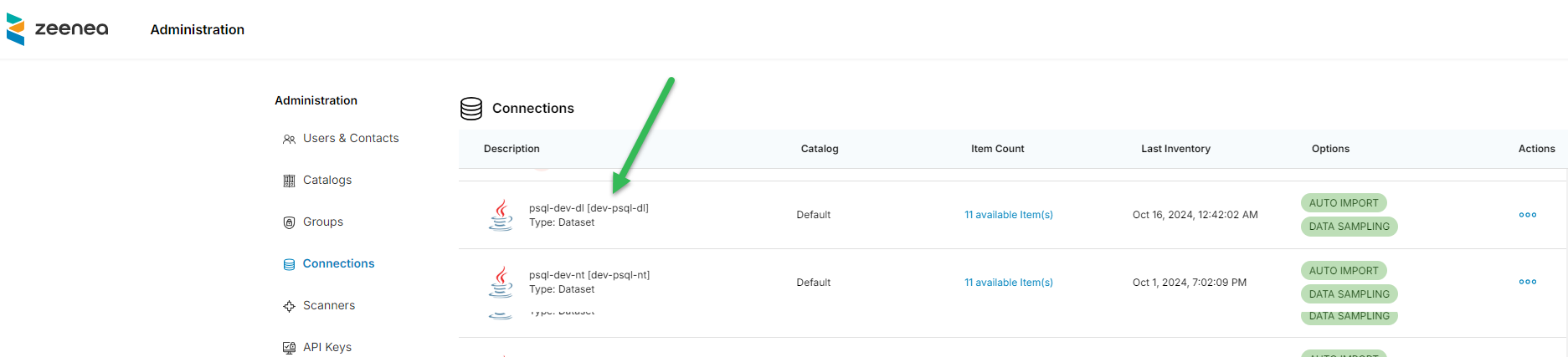
- In Zeenea Administration, click Connections and verify that the new connection is listed:
- If you encounter any issues, review the scanner.log file located in the
[scanner_install_dir]/logsfolder for troubleshooting guidance. Also refer to Troubleshooting for Scanners and Connections.