This chapter describes tasks that involve running queries against the audit records. Before undertaking these tasks, be familiar with the AuditMaster interface, as described in Chapter 5: Using AuditMaster Viewer.
|
1
|
In the data tree, right-click the current view file and select Update Current View File, or in the toolbar, select the update current view file icon
 . . |
 shows that the current view file update is in progress.
|
2
|
Right-click the current view file and select Get File Information.
|
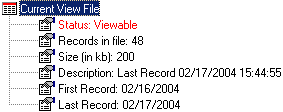
Note The Update Status step is optional. However, since the time to finish the update depends on the size of the log file, it may be helpful to verify that the update has finished. For large updates, to be sure that all records are ready for query, update status and then check the status log for the “end of current view file update” message.
|
w
|
|
w
|

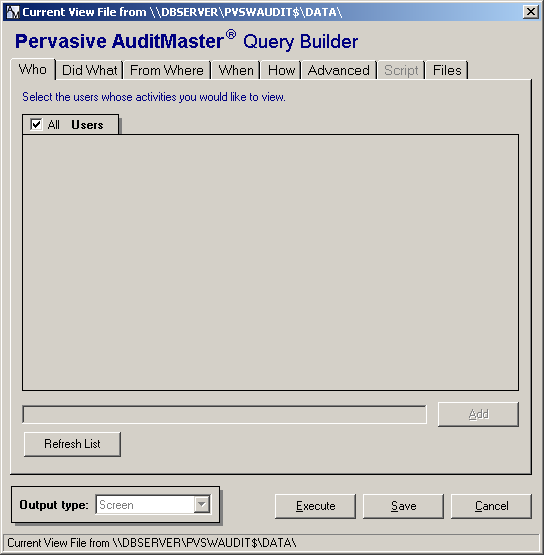
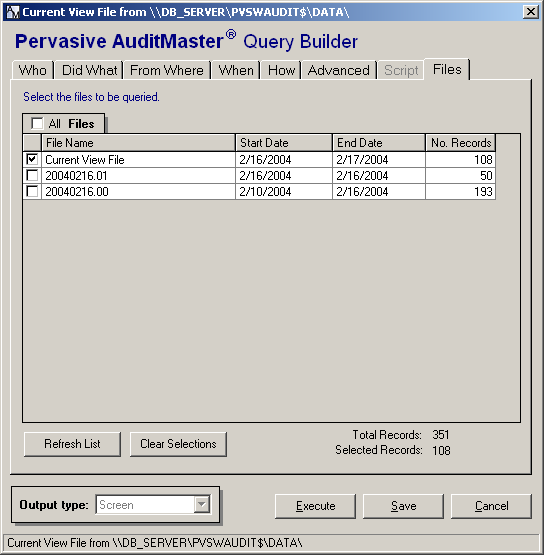
Figure 7-1 Query Builder
|
4
|
Click the Execute button at the bottom of the window.
|
Figure 7-2 Sample Audit Record Grid
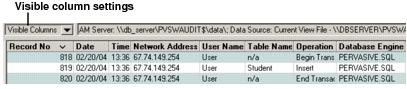
To change which record columns are visible, see Working with the Audit Record Grid. To view an individual record in detail, see Viewing Audit Record Details.
|
See Audit Record Columns for more information about individual columns.
|
|