Data Provider Integration Scenario
Because the PSQL data provider is integrated into Visual Studio, many typical data access tasks can be simplified. For example, after making the connection to the database, you can create queries using Query Builder.
The Query Builder can help you graphically design database queries.
►
To create a simple query
1
Establish a data source connection (see
Using the PSQL Visual Studio Wizards
).
2
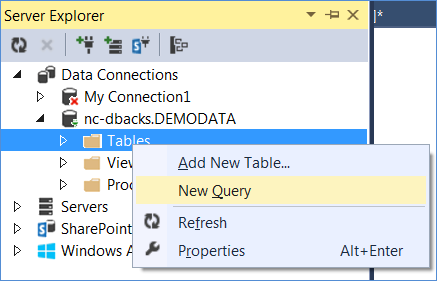
Select the data source in Server Explorer.
3
Right-click
Tables
and select
New Query
.
4
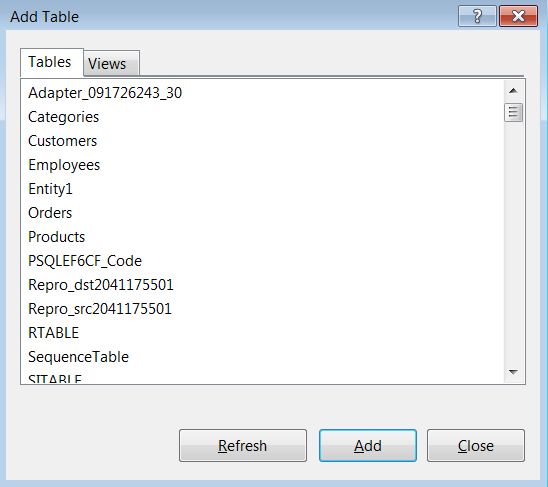
The Add Table window appears. Select the table that contains the data that you want to use; then, click
Add
.
5
Click
Close
to close the Add Table window.
6
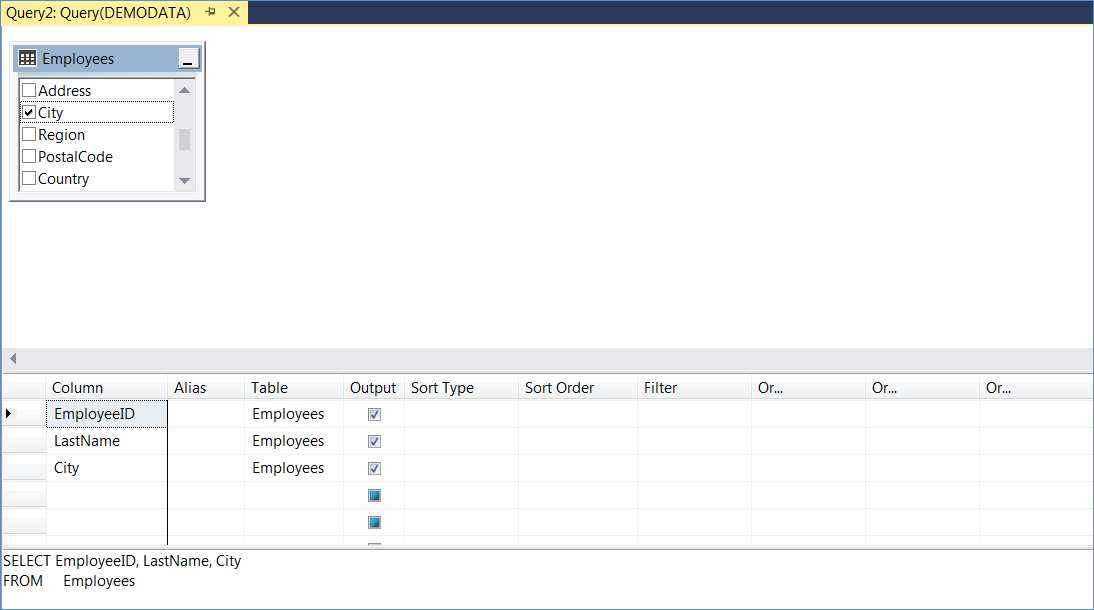
Select the columns that you want returned. In this example, we select the id, name, and salary columns of the employee table.
7
Click the
Execute SQL
button on the toolbar.
8
Examine the results displayed.