Caution: No two files can share the same file name and differ only in their file name extension if both files are in the same directory. For example, do not name a data file Invoice.btr and another one Invoice.mkd in the same directory. This restriction applies because the database engine uses the file name for various areas of functionality while ignoring the file name extension. Since only the file name is used to differentiate files, files that differ only in their file name extension look identical to the database engine.
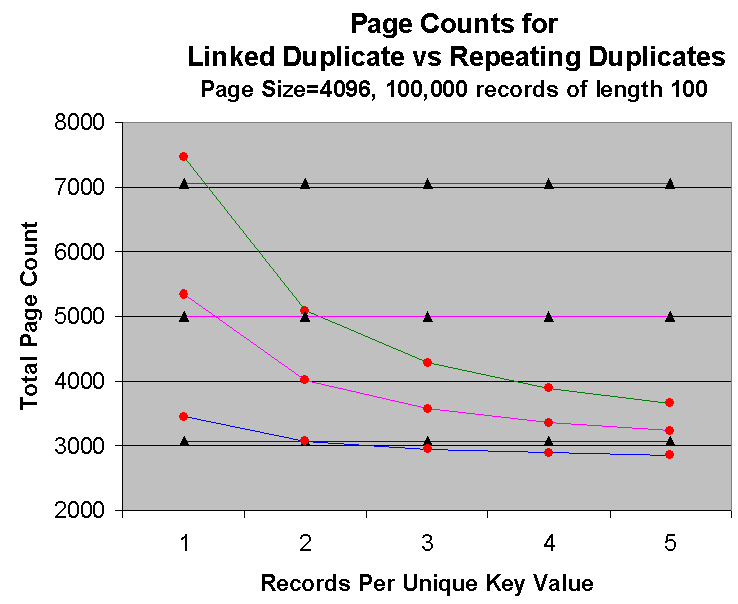
 = linked duplicates
  = repeating duplicates