Ask AI
Ask AI is a Natural Language Query (NLQ) search feature. It allows you to find relevant data assets by asking questions in everyday language. Instead of searching with specific keywords or technical terms, type your question as you would ask a colleague. Ask AI returns relevant results with a comprehensive summary.
Ask AI combines advanced natural language processing with the semantic layer of the Actian Data Intelligence Platform to deliver intelligent search results:
- Intent Recognition: Understands your search intent from natural language questions.
- Semantic Search: Searches through the semantic layer using the knowledge graph.
- Smart Ranking: Results are prioritized and ranked by relevance.
- AI Summary: Generates a cohesive narrative summary from the descriptions of the top search results.
Note: Ask AI searches through item descriptions within topics. The quality of your search results depends on the completeness and accuracy of these descriptions.
Getting Started with Ask AI
Prerequisites
To enable the Ask AI feature, you must submit a request through the Actian Support Portal.
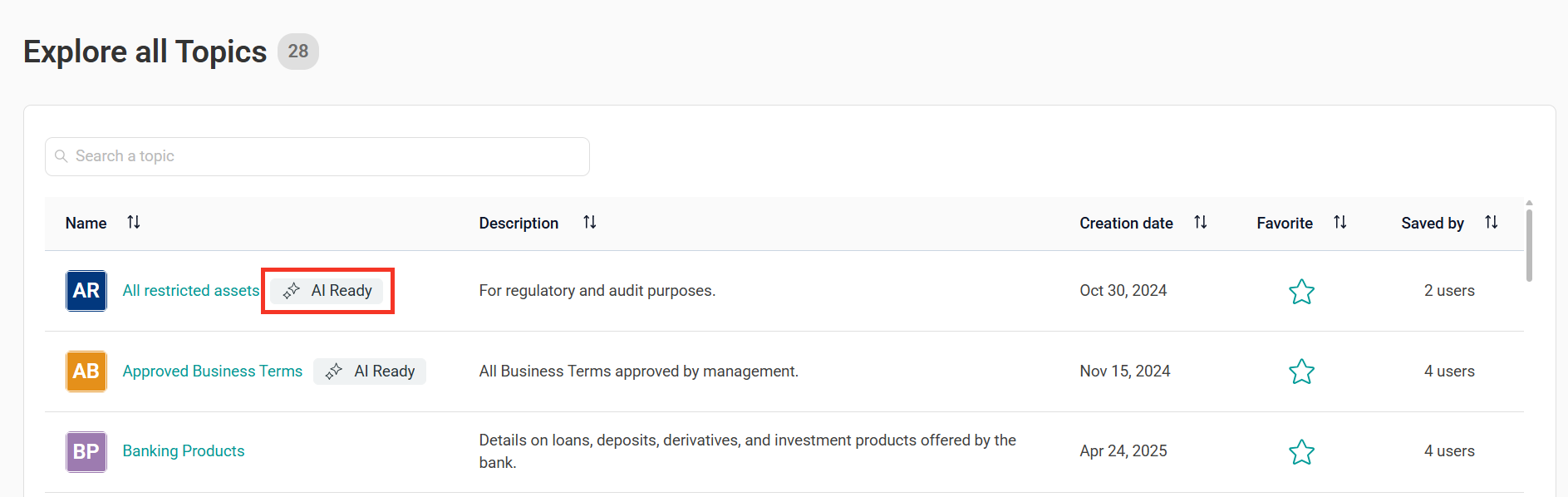
Ask AI is available only in topics tagged as AI Ready. This tag is applied automatically to topics where most items have comprehensive descriptions.
Note: If a topic is not tagged AI Ready, it does not have sufficient description coverage. Ask AI is disabled for that topic to ensure quality results.
How to Use Ask AI
- Open the Zeenea Explorer.
- Select an AI Ready topic.
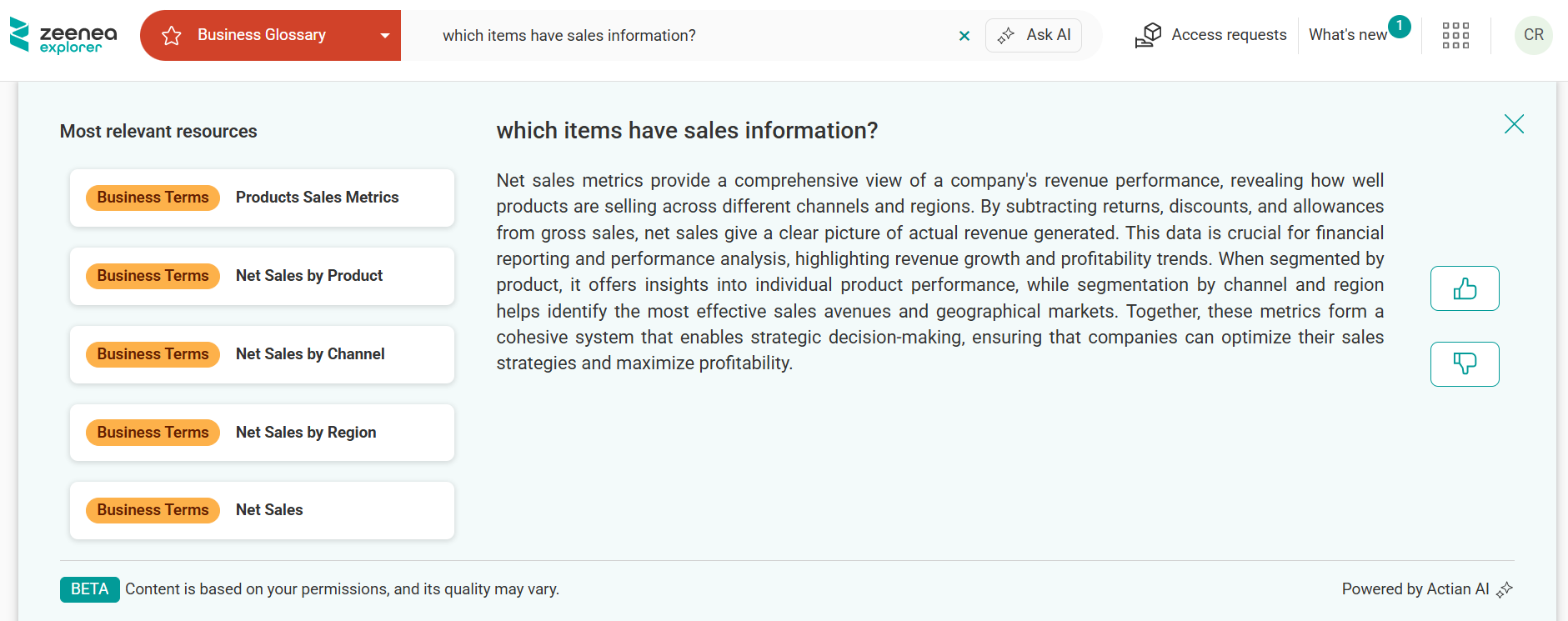
- Type your question in natural language.Note: For best search results:
- Provide context: Ask specific questions. For example, Which datasets contain customer demographic information? works better than just demographics.
- Ask complete questions: Frame your query as a full question rather than using keyword fragments.
- Review the search results and AI summary.
- Select the thumbs-up or thumbs-down button to provide feedback on the AI-generated summary. This feature is disabled by default, but your Customer Success Manager can enable it upon request.
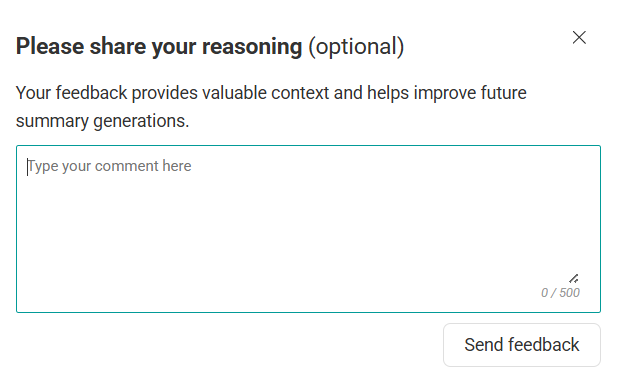
Note: When you submit negative feedback, you will be prompted to provide additional details. Only your search query and feedback text are retained for review by the product team.
How to Improve Ask AI Results
Ask AI generates summaries from existing item descriptions.
High-quality descriptions = High-quality AI insights
High-quality descriptions = High-quality AI insights
To improve the quality of search results
- Ensure that all data assets have comprehensive and accurate descriptions.
- Ensure that descriptions are complete and up to date.
- Collaborate with data stewards to enhance catalog quality.
- Provide feedback by selecting the thumbs-up or thumbs-down button.
Language Support
Ask AI is designed and optimized for English language queries and content. Ask AI supports:
English (Recommended): Full support with the highest quality of responses. Both questions and glossary item descriptions should be in English.
French and German (Limited): May produce adequate results if your questions and glossary descriptions are consistently in the same language. Quality is not guaranteed as the language model is not optimized for these languages.
Other Languages (Not Supported): The feature may accept input in other languages, but responses are likely to be inaccurate or meaningless. Use at your own risk.
Data Protection
Hosting and Infrastructure
Ask AI is built on a secure, isolated architecture with two separate environments:
- Zeenea Application VPC: Your catalog data, metadata, and business logic
- Dedicated Bedrock VPC: AI processing uses Amazon Bedrock's Nova PRO (summarization and reasoning) and Nova micro (embeddings generation)
This dual-VPC architecture ensures that AI processing is completely isolated from your application environment, with data flowing between them only during active AI queries through secure, encrypted connections.
Data Privacy Compliance
No Data Retention: Amazon Bedrock does not store or log your prompts, completions, or any data sent to the AI models. Your queries and the AI-generated responses exist only during the active session and are not persisted.
No Model Training: Your data is never used to train, improve, or fine-tune any AWS foundation models. Each interaction is isolated and does not influence future model behavior.
No Third-Party Sharing: Your data is not distributed to, shared with, or accessible by any third parties. All processing remains within the controlled AWS environment across Zeenea's VPC and the dedicated Bedrock VPC.
How Data Flows Through Ask AI
- You submit a question or request through the Zeenea application interface.
- Your query and relevant context (such as item names, descriptions, and user query details) directs to the appropriate AI model in the Bedrock VPC.
- Ask AI directs the request:
- For summarization and reasoning tasks, the prepared prompt is sent to Nova PRO in the dedicated Bedrock VPC.
- For semantic search, item names and descriptions are sent to Nova micro to generate embeddings stored within your Zeenea application VPC, enabling similarity-based search and retrieval.
- The AI-generated answers are returned to your Zeenea session and displayed.
Note: Prompts and completions sent to the Bedrock VPC are not logged or stored after processing.
Security and Compliance
Both VPCs follow AWS's Shared Responsibility Model, where AWS manages the security of the cloud infrastructure, and Zeenea manages security in the cloud for your data.
Troubleshooting
Ask AI Option Not Available
Verify that you are in Explorer and the topic is tagged AI Ready.
Low-Quality Search Results
Rephrase your question or provide feedback by selecting the thumbs-up or thumbs-down button.
Incomplete AI Summaries
This may indicate limited description coverage in underlying assets.
If you do not find an answer to your question, contact Actian Support or your Actian Customer Success team.
Last modified date: 04/22/2026