Configuring the Glossary Metamodel
In the Catalog Design section, select the Glossary metamodel tab to configure the item types that will constitute your catalog's semantic layer and the templates for these item types.
Glossary Items allow you to document concepts (business objects, rules, KPIs, etc.) used in your organization and align business and technical users with their definitions.
Zeenea does not impose a metamodel for your glossary, so you can create any item types you wish. You can create either a simple lexicon (consisting of a flat list of business terms with their definitions) or a more complex (or hierarchical) model consisting of object types of different natures.
Click the New Glossary Type button to create a new object type:
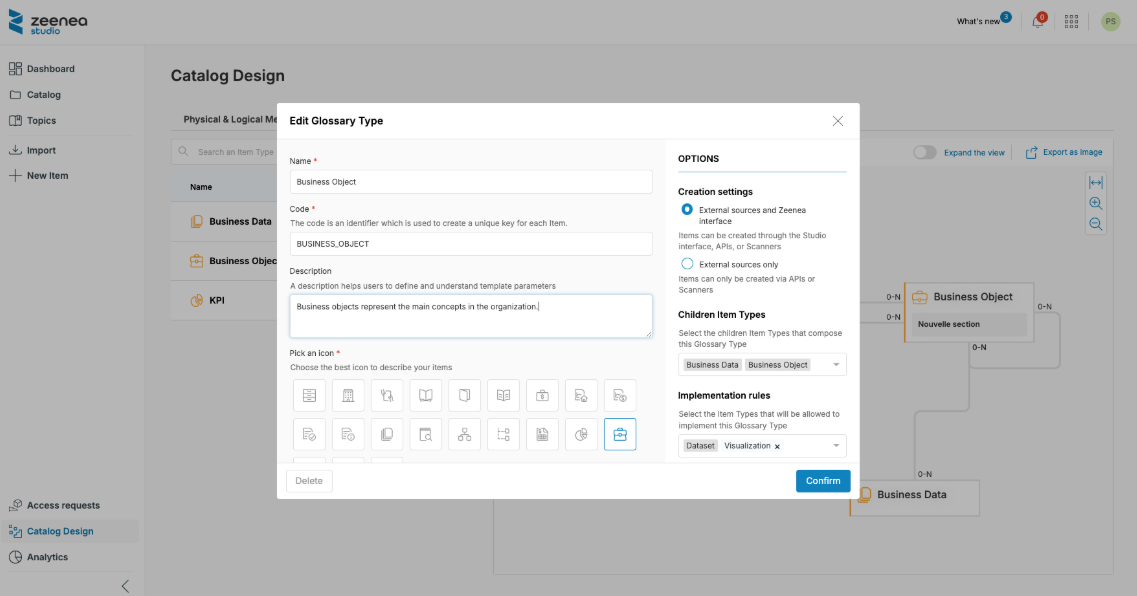
For each object type define the following information:
- Name
- Code (this code is used as part of the Item's unique identification keys)
- Description
- Icon
- Color
- Options:
- Creation settings: Specify from which channel(s) you will create Items for this type (UI and/or API)
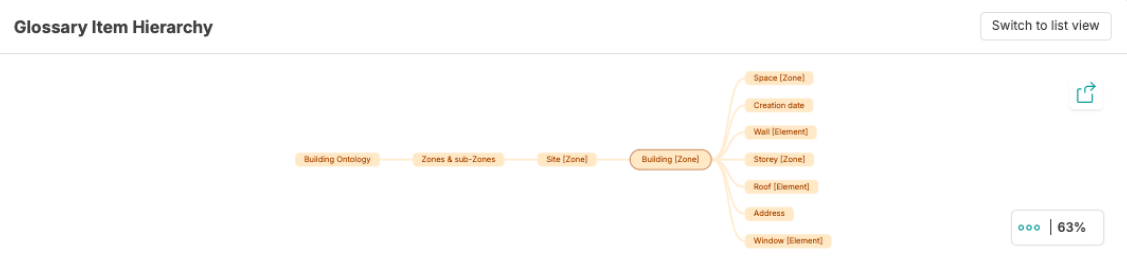
- Children Item Types: For each item type in the glossary, you can define parent-child links to create hierarchies between types (or within types). For instance: Business Objects can have one or several Business Attributes.
- Implementation rules: You can also define how each glossary item type will be reflected or implemented in the catalog's physical layer by specifying a link to one or several technical item types. For instance, Business Objects can be implemented by Datasets while Business Attributes can be implemented by Fields.
Children "Item Types" and "Implementation rules" restrict the possible options for Data Stewards while linking items in the Studio. It helps Data Stewards to keep the catalog consistent.
Once created, you can configure the template of your object type as for any other type.
Last modified date: 04/22/2026