Delete Warehouses
Deleting a warehouse removes it from your Actian account. After you delete a warehouse, you are no longer charged for it.
Important
IMPORTANT!All databases and data stored in the warehouse are erased. Therefore you must confirm deletion.
To delete an Actian warehouse
-
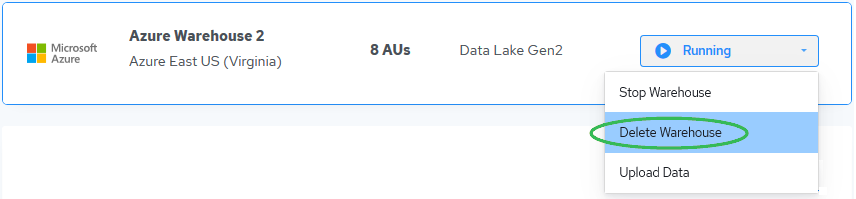
On the Actian Warehouses page, click the management dropdown for the warehouse you want to delete and select Delete Warehouse:
The Delete Actian Warehouse dialog appears.
-
Type DELETE (all caps) to confirm deletion.
- Click Delete to delete the warehouse.
Note
For AWS AV-1 and Azure, it takes about 10 minutes to delete a warehouse. For Google Cloud and AWS AV-2, it takes a few seconds.
The warehouse is removed from the Warehouses page.