Actian MCP Server for Analytics Engine (SaaS)
When Analytics Engine powers a warehouse on the Actian Analytics AI Platform, the MCP Server is configured automatically. There is nothing to install, no container to run, and no conf.json to write. You need only the warehouse endpoint and an MCP client.
To run the server against an Analytics Engine instance that you host yourself, see Self-Hosted.
Connect Your MCP Client
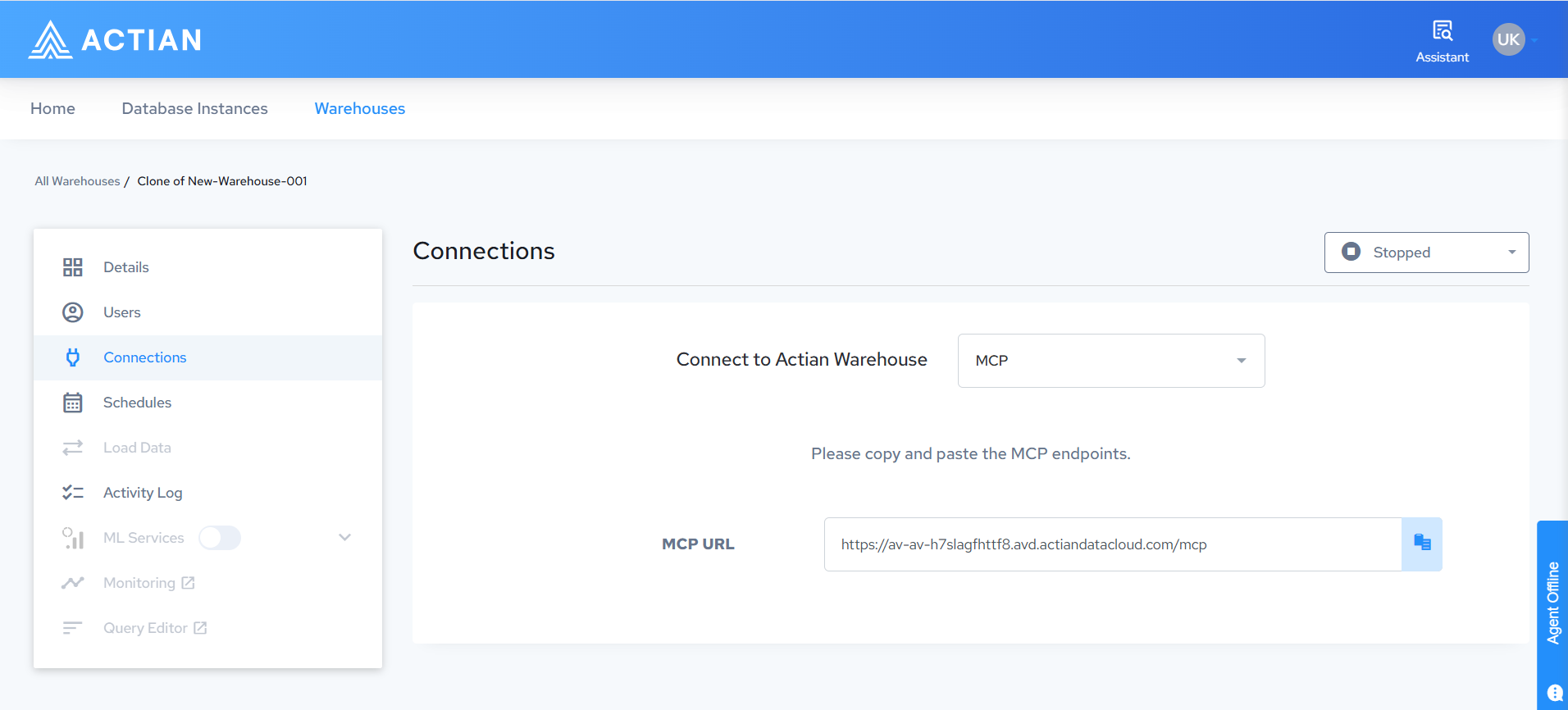
The MCP endpoint for a warehouse is:
https://<warehouse-host>/mcp
Use the same warehouse host shown on the warehouse Connections page. For the steps to find it, see MCP Server for warehouse data access in the Actian Analytics AI Platform documentation.
For example, in Visual Studio Code:
{
  "servers": {
    "actian-warehouse": {
      "type": "http",
      "url": "https://<warehouse-host>/mcp"
    }
  }
}
For Claude Desktop, GitHub Copilot, and Python client formats, see Connecting MCP Clients.
Before you connect
The endpoint is available only on warehouses that have MCP enabled, and only while the warehouse is running. Warehouse access is also restricted by IP address, and this applies to MCP connections. Make sure the machine running your MCP client falls within the warehouse IP allow list. For more information, see Data Access and Authentication in the Actian Analytics AI Platform documentation.
Authentication
The MCP client signs you in with an OAuth login against the warehouse. This is different from the other connection options on the Connections page, which use a database username and password.
After you sign in, queries run under your own database identity. The privileges that apply are the ones already granted to you on the warehouse, enforced per table. To grant or change those privileges, see User Management in the Actian Analytics AI Platform documentation.
Write Operations
Write queries are enabled on a warehouse. Two conditions must be met before a write runs:
- Your database privileges allow it. The warehouse enforces your existing grants on each table, so the MCP Server cannot perform any write that your grants do not permit.
- You approve the write. The server describes the statement and waits for your confirmation before running it.
A client that cannot prompt cannot write
The approval request uses the Model Context Protocol (MCP) elicitation capability, which not every client implements. If the client does not support it, the server rejects the write exactly as if you had declined it. There is no silent approval, and the approval step cannot be turned off for a warehouse. Read queries are not affected.
Claude Desktop and GitHub Copilot cannot display the prompt today. For the current list, see Elicitation support for write approval.
Actian Responsibilities
The following are configured and maintained by Actian, and cannot be changed for a warehouse:
- Transport security (TLS) and the server endpoint
- Database connection settings, including the connection pool
- Query mode, row limits, and log verbosity
- The OAuth provider used for sign-in
Custom extensions are not supported on a warehouse. To load custom Python extensions, run the server yourself. See Self-Hosted.
Related Documentation
- MCP Server for warehouse data access, for finding the endpoint and the connection requirements in the Actian Analytics AI Platform
- MCP Server, for creating, starting, stopping, and monitoring warehouses from an MCP client