Code Server
Code Server is a core platform service that provides a browser-based, full-featured integrated development environment (IDE) for building data processing scripts and ML models. It is a hosted, preconfigured instance of Coder code-server, which runs the open-source edition of Visual Studio Code (MIT license) in a web browser.
Note
Code Server is a hosted, open-source tool. Actian does not maintain a custom VS Code fork. For editor-specific features, including debugging, extensions, and settings synchronization, see the VS Code documentation.
Key Features
- Open-source VS Code base: Code Server is built on the Visual Studio Code, which provides a familiar interface and feature set consistent with the desktop application.

- Preinstalled data science stack: The environment comes ready for development with the following tools and libraries preinstalled:
| Category | Included items |
|---|---|
| Languages and frameworks | Python, PySpark |
| Data libraries | NumPy, Pandas, Matplotlib |
| Extensions | Jupyter Notebook, Python |
- Database connectivity: Includes the Actian client and ODBC driver for direct communication with the Analytics Engine.

- Customization: You can install additional extensions from the Open VSX Registry. All customizations, including installed extensions are backed by persistent storage and remain available after a warehouse restart.
Note
You can access Code Server through a browser by using the warehouse hostname and a JWT bearer token.
Enabling Code Server
By default, Code Server is disabled. To enable it, follow these steps:
- Sign in to the Actian Analytics AI Platform, and navigate to the Warehouses Console.
-
In the left navigation pane, turn on the ML Services toggle to enable ML services.
-
Select Code Server in the left navigation pane to open the IDE in a new browser tab.
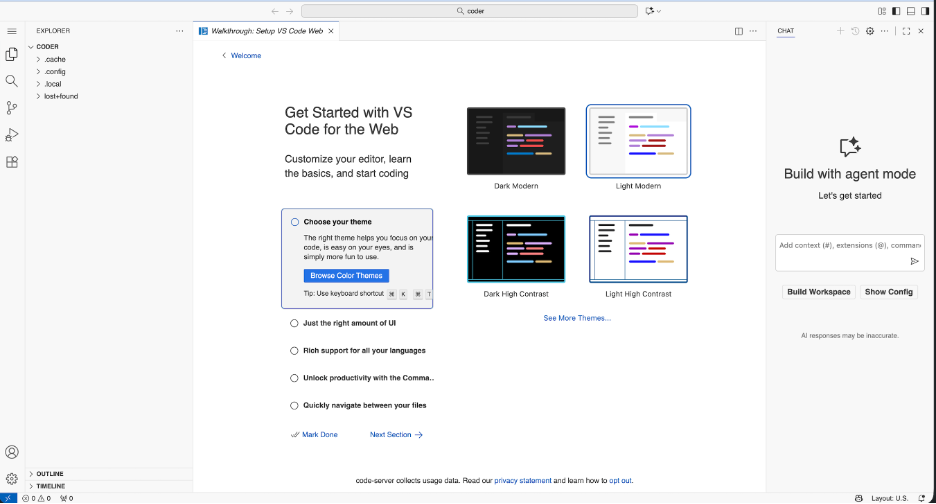
Preinstalled Software
Code Server is preconfigured with a Python virtual environment located in the container user's home folder.
Note
The container runs as a non-root user without sudo access.
To inspect the current environment, run the following commands in the Code Server integrated terminal:
List all installed Python packages in the active virtual environment:
Bash
List all exported environment variables:
Bash
Show the active Python interpreter:
Bash