Display Users from the Warehouse Details Page
Any Actian Data Platform user may display a list of users who have access to a particular warehouse/databse. From the Warehouse Details page, you can display the Users page:
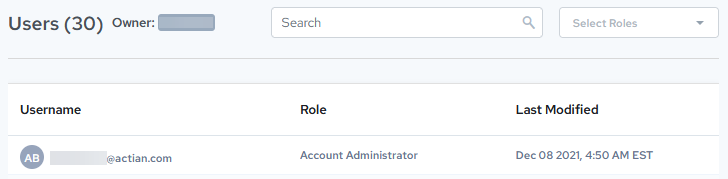
The Users page displays the following information:
| Field or Control | Description and Use |
|---|---|
| Users (##) | Displays the number of users that can access the selected warehouse |
| Owner | Displays the name of the warehouse owner |
| Search | Lets you narrow the displayed list of users to the search criteria you specify. You may search for information such as: • Any part of a username • Any word in a role (but see Select Roles) • Any part of the Last Modified date and timeDelete your entry in the Search field to cancel the search and display the full list of users. |
| Select Roles | Lets you select a user role to narrow the list.Click the X in the dropdown to clear the search. |
| Username | Displays the username of each user who has access to this warehouse |
| Role | Displays the role of the user. For more information, see User Roles. |
| Last Modified | Displays the date the user was last modified. |