Working with JasperReports Server
Jaspersoft Desktop works on the repository of a JasperReports Server as it works on a folder: the server's folders and report units are in the explorer, a report opens in the designer, and saving writes it back to the server. There is no separate step to publish a report: you work on the server itself, and the preview runs the report there, as the server's users will see it.
Connecting
On the home screen, click Connect to JasperReports Server….
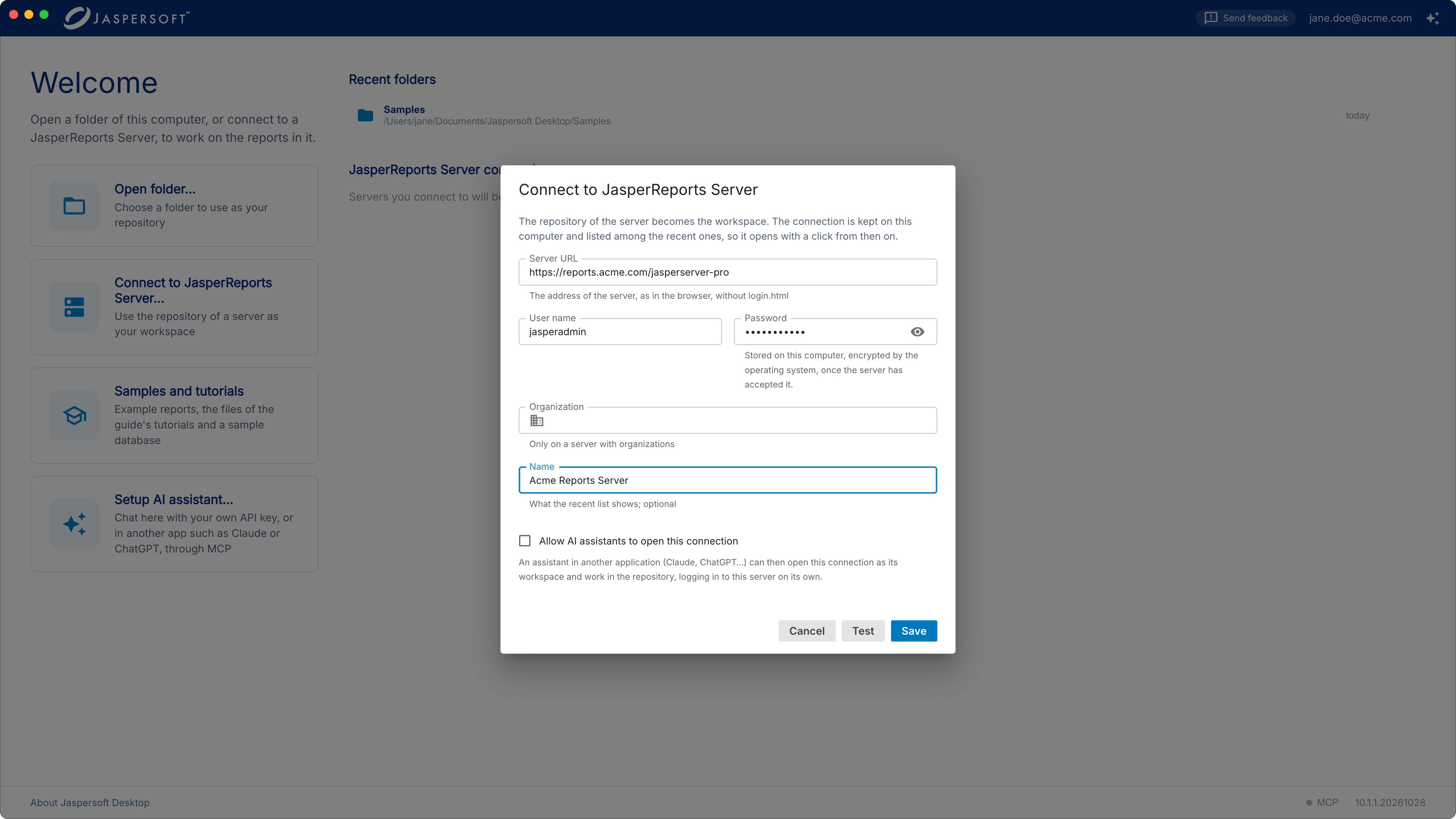
| Field | What to enter |
|---|---|
| Server URL | The address of the server as you open it in a browser, without login.html: for example https://reports.acme.com/jasperserver-pro. |
| User name, Password | Your account on the server. |
| Organization | On a server with several organizations, yours. Leave it empty otherwise. |
| Name | What the home screen calls the connection. Left empty, it is your user name and the server, jasperadmin @ reports.acme.com. |
Click Connect. The password is kept only once the server has accepted it, encrypted by the operating system on this computer. The connection is listed under JasperReports Server connections on the home screen, and opens with a click from then on; point at it to edit it or to remove it from the list.
The repository in the explorer
The explorer shows the folders of the server your account can see. A report unit, the server's report, is a folder of its own: open it to see what it is made of.
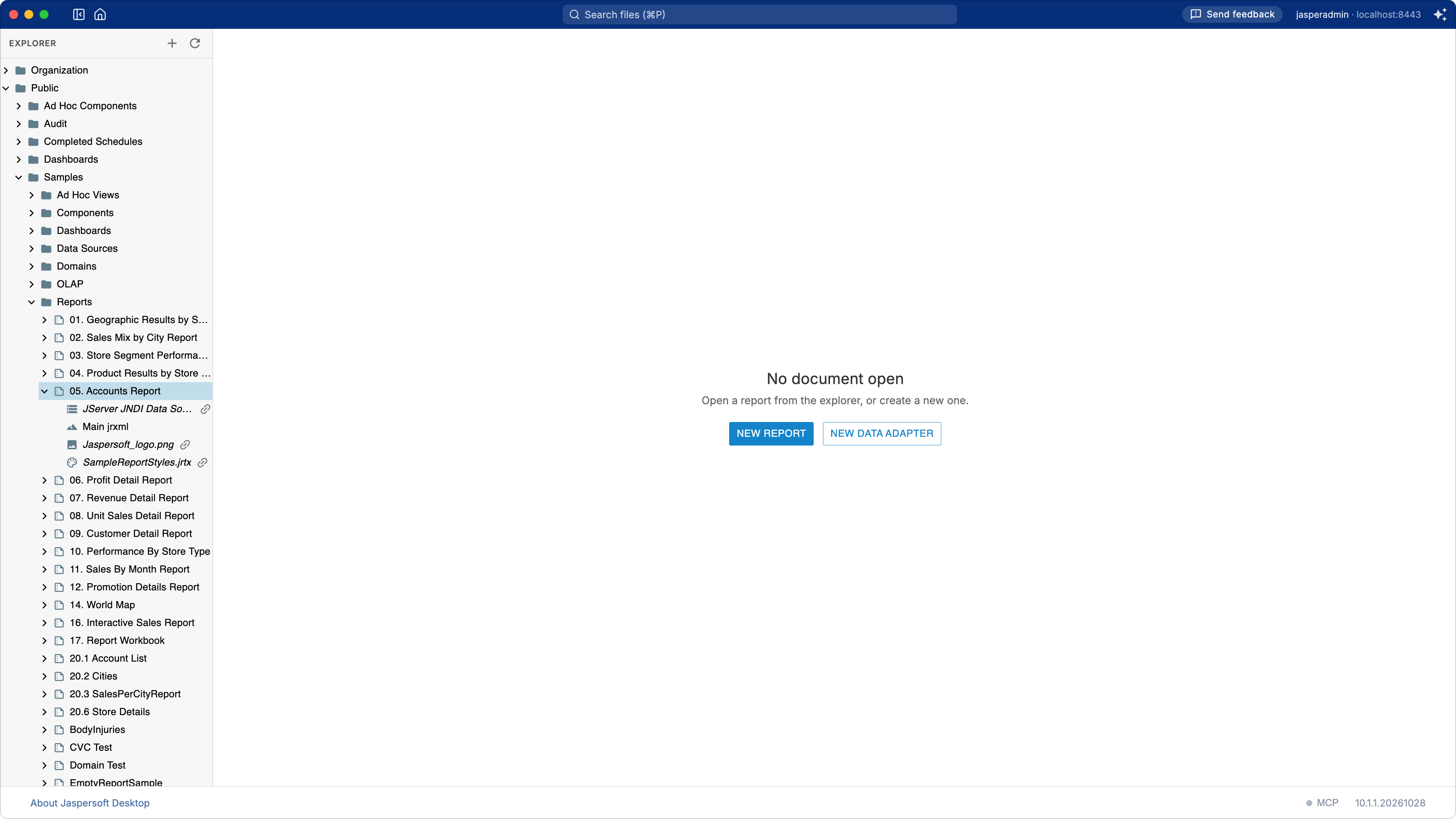
- the main JRXML, the design of the report;
- its data source, where the server gets the data;
- its resources: images, style templates, subreports, resource bundles.
A name in italics, with a link, is a shared resource: it lives elsewhere in the repository and other units may use it too. The others are local: they belong to the unit.
Editing a report
Click the main JRXML of a unit: it opens in the designer, as a report of a folder does. Save it with the save button of the toolbar: the server keeps the new version in the unit.
Click Preview: the server runs the report, with the unit's data source and its input controls, and the pages come back to Jaspersoft Desktop.
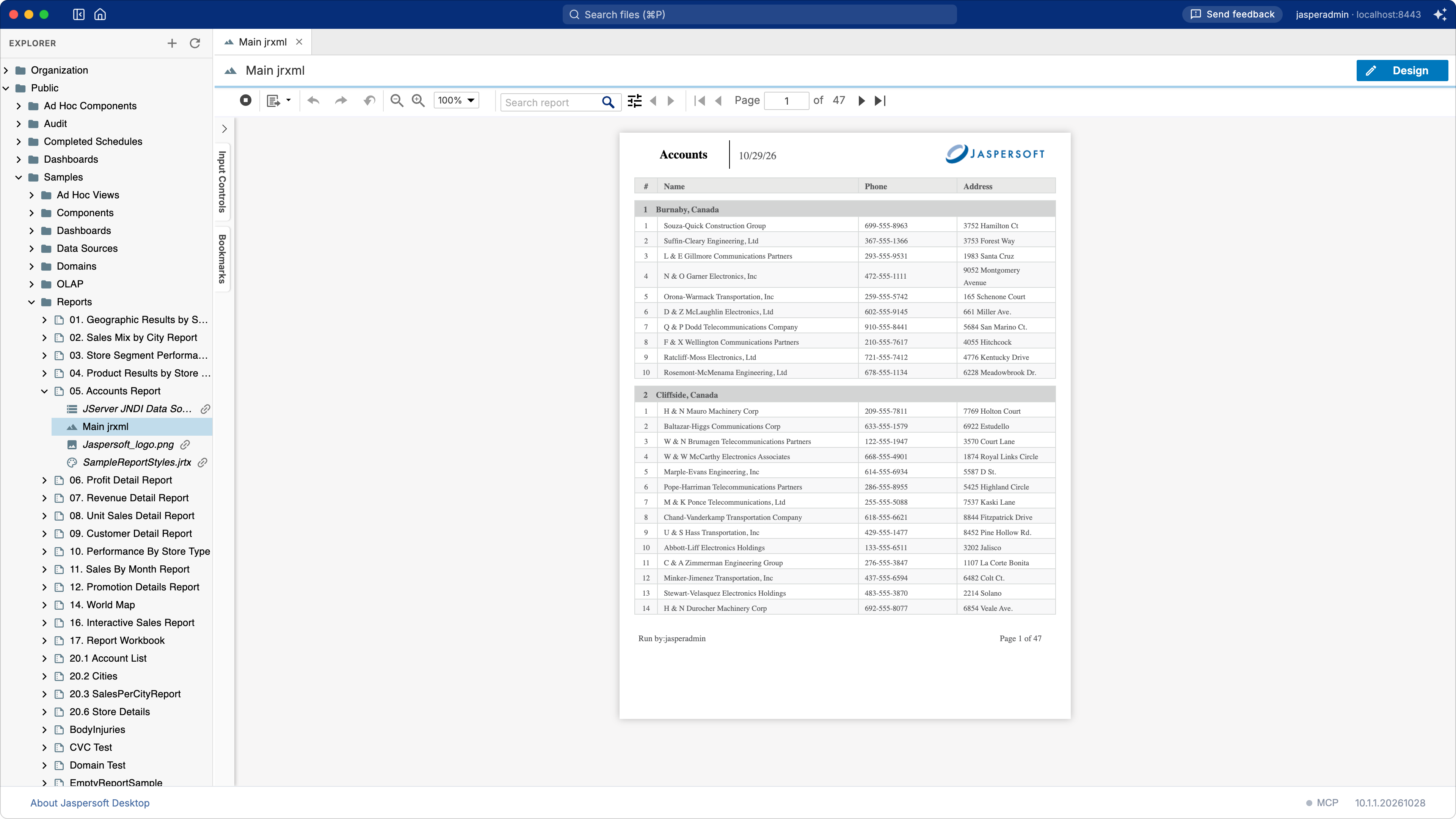
A report of the server reads the data of the server: its unit's data source takes the place the data adapter has in a folder (see A data adapter is not part of the report). The fonts, libraries and properties it uses are the server's too: the Settings of a folder workspace have no part here.
The report unit
Right-click a unit and choose Edit Report Unit to see and change all of it:
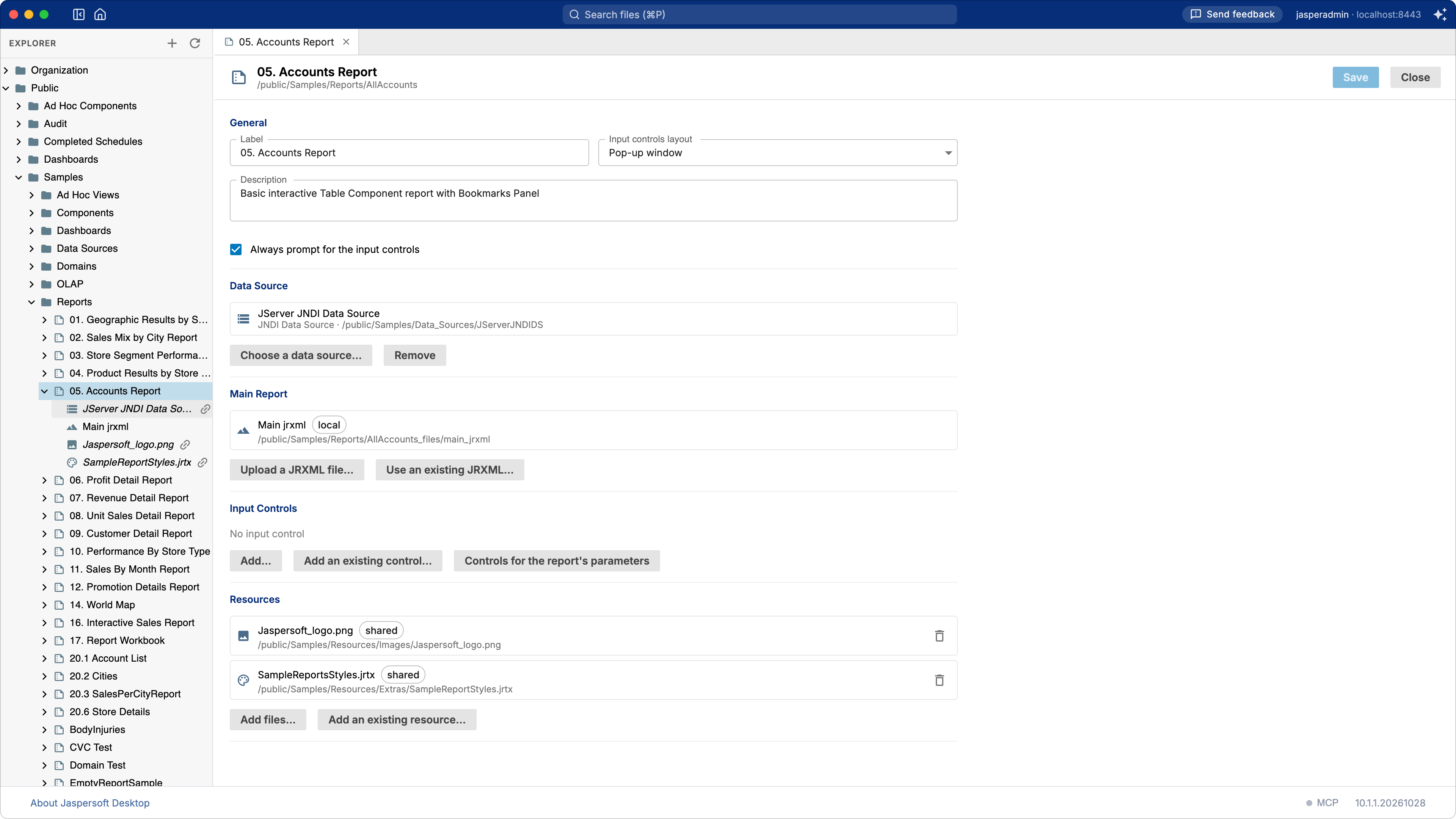
| Section | What it holds |
|---|---|
| General | The Label the server shows, the Description, how the input controls are laid out, and whether they are asked every time (Always prompt for the input controls). |
| Data Source | The data source of the report: Choose a data source… picks one of the repository, Remove leaves the report to the one its JRXML names. |
| Main Report | The JRXML: Upload a JRXML file… of this computer, or Use an existing JRXML… of the repository. |
| Input Controls | What the server asks before running the report. Controls for the report's parameters adds one for each parameter for prompting that has none yet. |
| Resources | The files the report uses: Add files… from this computer as local resources, Add an existing resource… of the repository as a shared one. |
Click Save to write the unit to the server, Close to leave it as it is.
A new report unit
Right-click the folder the unit goes in and choose New › Report Unit….
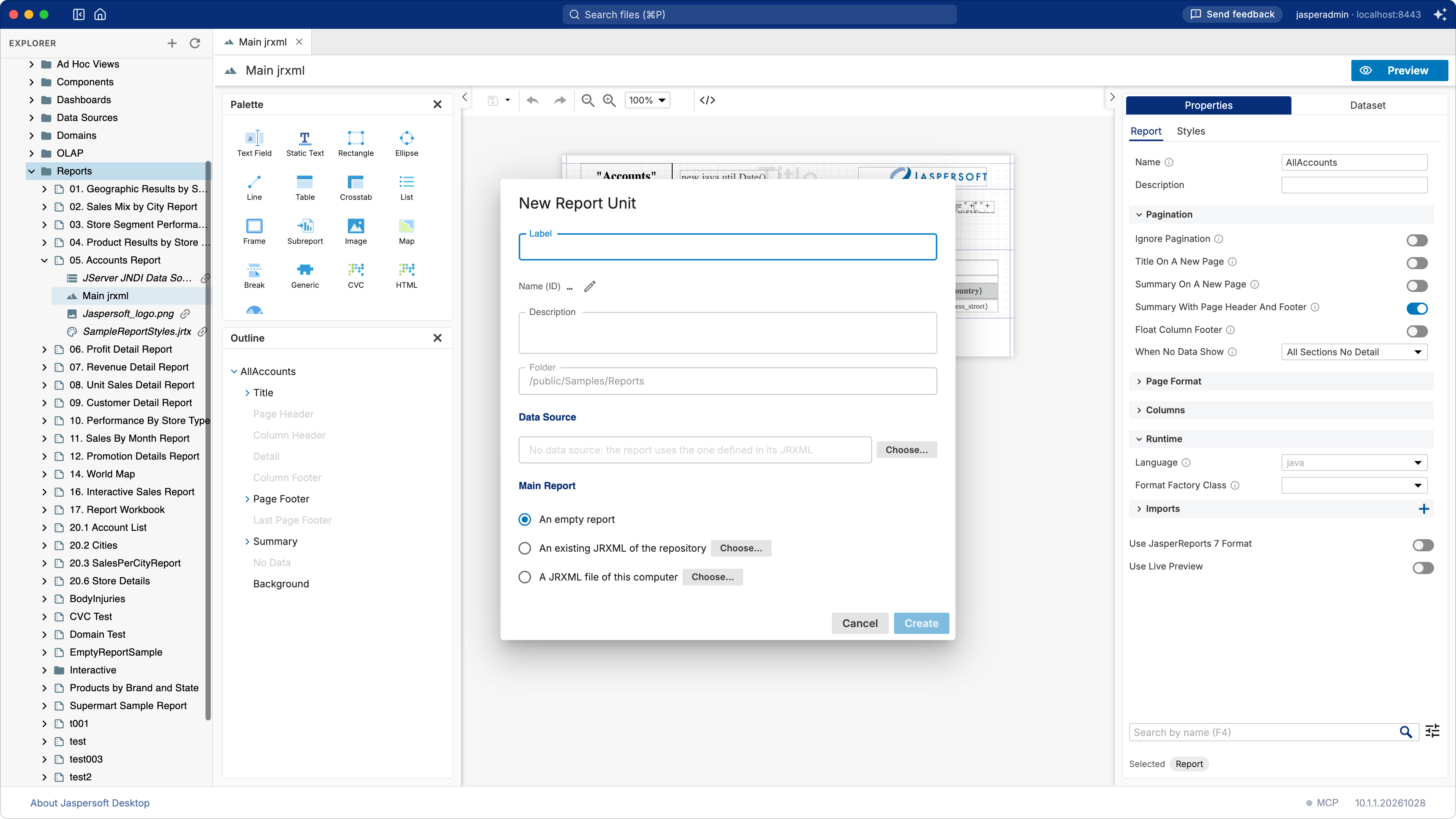
Give it a Label: the Name (ID), its name in the repository, follows it unless you change it with the pencil. Choose its Data Source, and where its Main Report comes from:
- An empty report, to design it from the start;
- An existing JRXML of the repository;
- A JRXML file of this computer: the way to bring to the server a report made in a folder, such as one of the tutorials.
Click Create: the unit is made, and its main JRXML opens in the designer.
A report made in a folder reads its data through a data adapter, which the server does not use: choose the unit's data source on the server's side, with the same tables and columns the report expects. Images and subreports the report uses go into the unit as resources (Add files…), under the names its expressions give them.
What the server's users see
What Jaspersoft Desktop shows of the repository is what the server's web interface shows to the same account, with the same permissions. A report saved here is the report the server runs from then on, for everyone who opens it.