Tutorial: a filter with parameters
What you build: the sales report asks for a country when it runs, and shows only that country's sales; or all of them when no country is given. What you learn: parameters, the filter of a dataset, and giving values to a report in the preview. Time: about 10 minutes.
Before you start
Open Tutorials/Sales by Country.jrxml in the Samples workspace, as in
Totals and grouping: as you left it after that tutorial, or as it was (see
Starting again from the samples).
1. The parameter
A parameter is a value given to the report when it runs: in the preview you type it, an application embedding the report passes it, JasperReports Server asks it with an input control.
- Click an empty area of the page, so that nothing is selected, and open the Dataset tab.
- Expand Parameters and click its +. A parameter named
Parameteris added. -
Right-click it and choose Edit. Set:
Property Value Name CountryDescription The country to show; empty for all of them. The preview shows it as the tip of the field.Class java.lang.String, as it is: a text.Is For Prompting On, as it is: the preview asks for it. 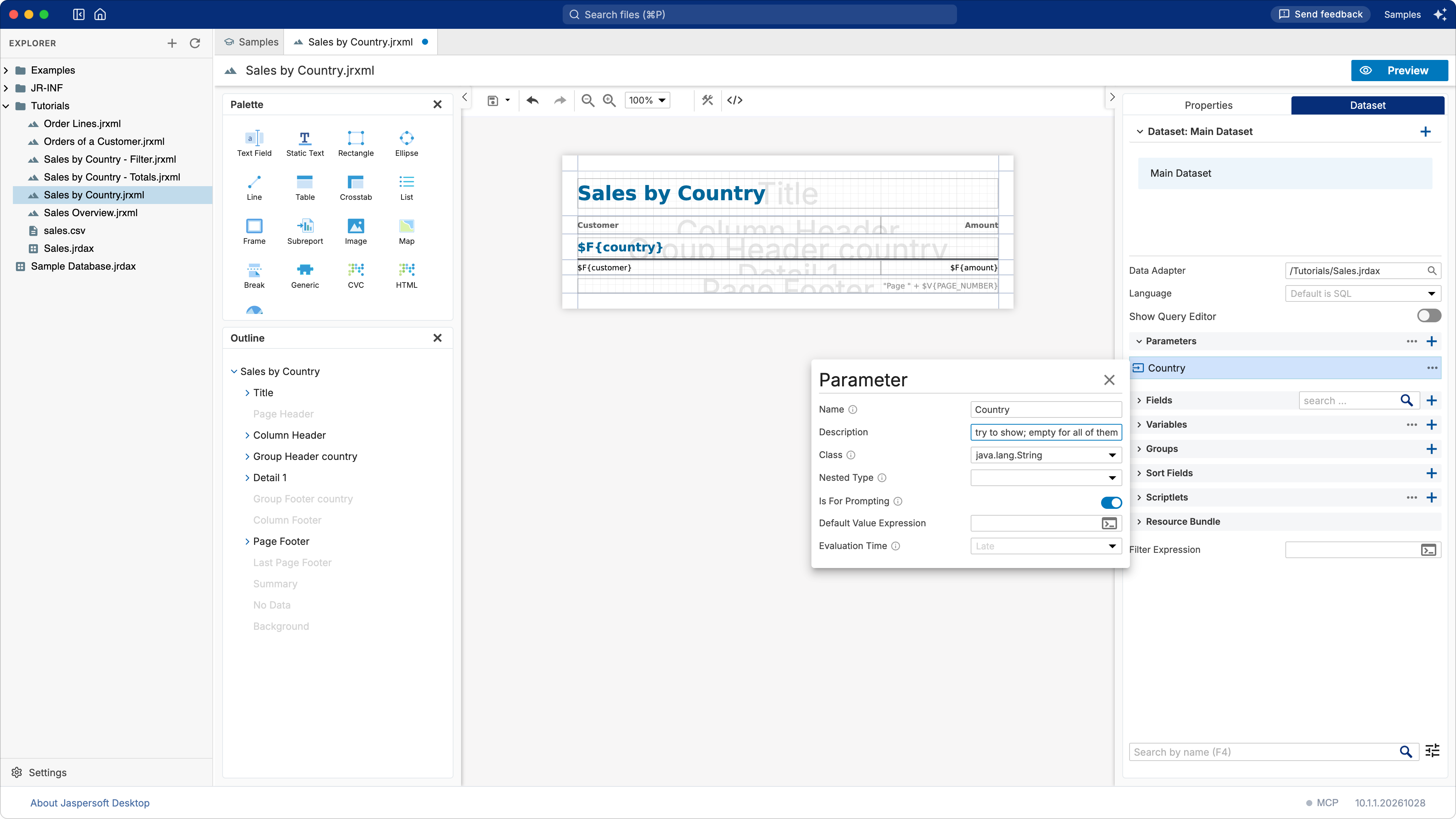
Close the editor with its ×.
2. The filter
The data adapter reads every row of sales.csv. The Filter Expression of the dataset decides
which records the report keeps: those for which it is true.
In the Dataset tab, type in Filter Expression (at the bottom), or click the button at the end of the field to write it in the expression editor, with the fields and parameters at hand:
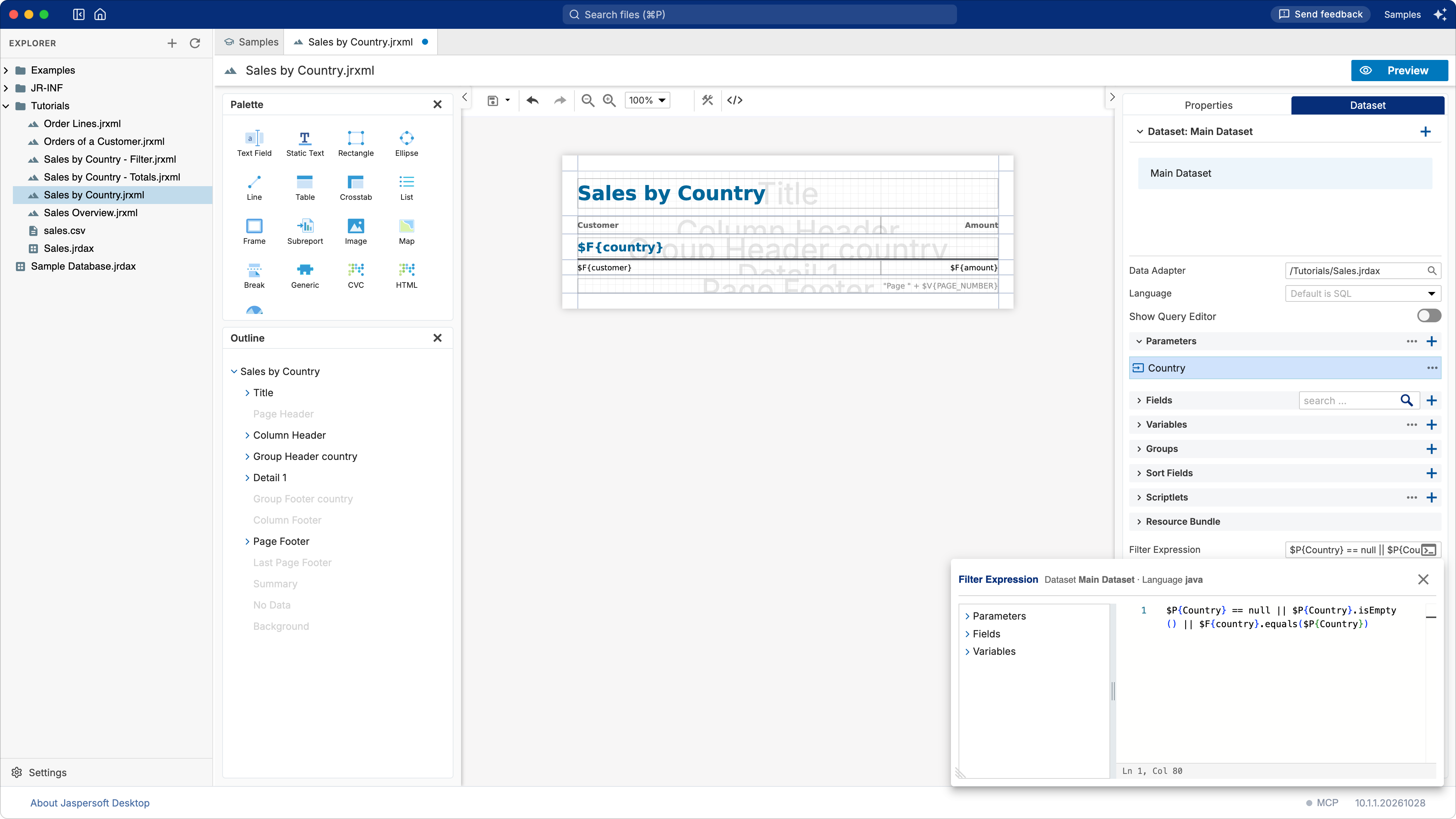
Read it as: keep the record when no country was given (null, or an empty text), or when its
country is the one given. The expression is Java, the language of the report:
$P{Country}is the parameter,$F{country}the field of the current record;||means or;.equals(…)compares two texts. Do not use==for texts.
A report with a query can filter in the query instead, which is faster on a large database: in SQL,
WHERE country = $P{Country}. A CSV file has no query, so the filter is the way.
3. Run it
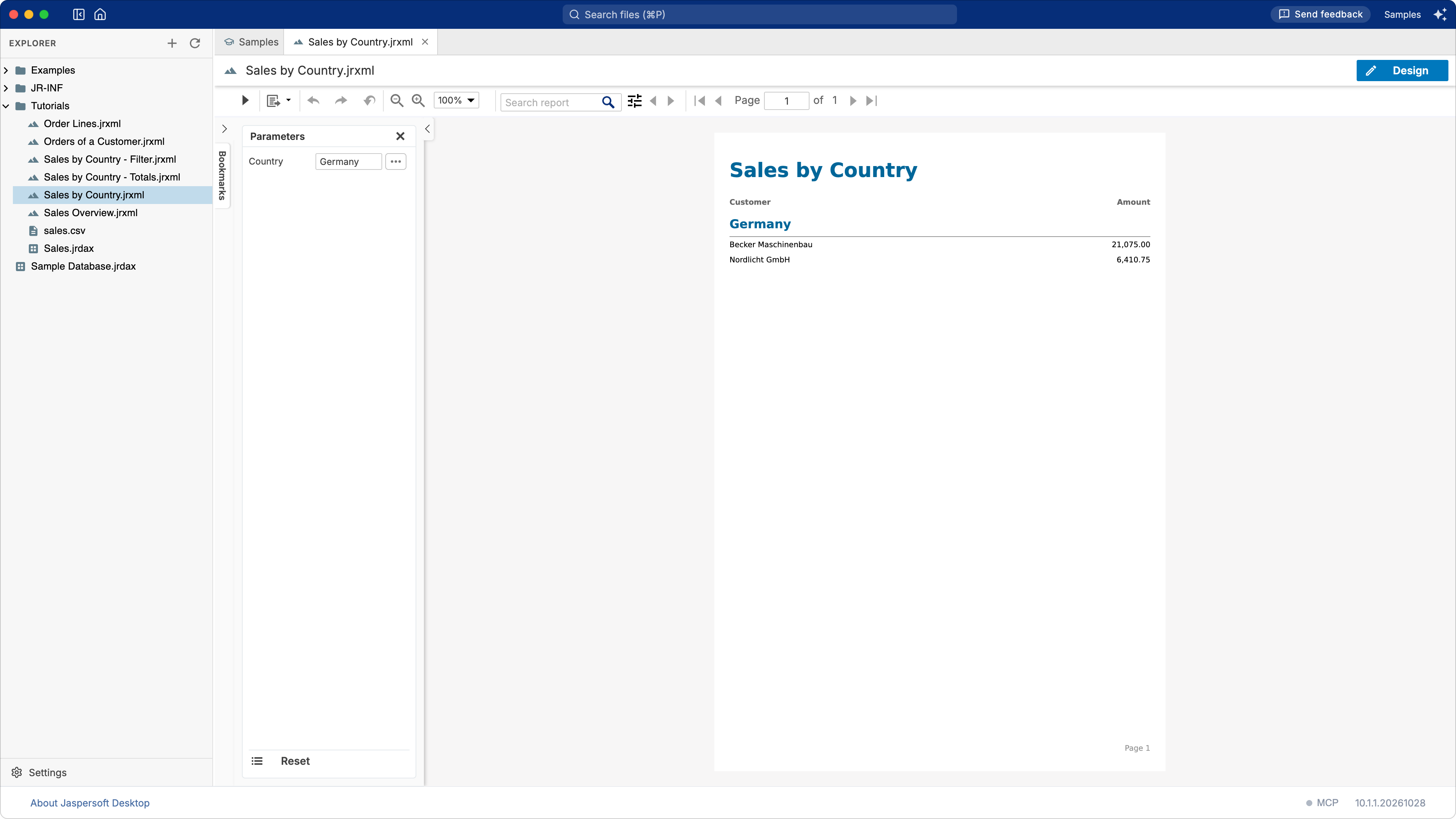
- Click Preview. The Parameters panel on the left lists Country, empty: the report shows every country.
- Type
Germanyin Country and click Run, the first button of the toolbar (▶).
Only Germany is left. Clear the field and run again to see every country.
Changes to the design are taken into account when you go back to Design and then to Preview again; Run fills the same design with new values.
Going further
- A default value. The Default Value Expression of a parameter is used when no value is
given, for example
"Italy". - A title that says what was chosen. Replace the static title with a Text Field whose
expression is
$P{Country} == null || $P{Country}.isEmpty() ? "Sales by Country" : "Sales in " + $P{Country}. - Other kinds of values. A parameter of class
java.util.Dategets a date picker in the preview,java.lang.Booleana checkbox,java.lang.Integera number field. - On JasperReports Server, each parameter for prompting becomes an input control of the report unit, which can offer a list of values to choose from.
What you learned
- Parameters bring values into the report when it runs; Is For Prompting makes the preview ask for them.
- The Filter Expression keeps only the records for which it is true.
- Expressions are Java:
$P{…}for parameters,$F{…}for fields,.equalsto compare texts.