Iceberg REST
BigLake Metastore via Iceberg REST catalog (GCP only)
Feature only supported for GCP-BigLake
Creating a Connection
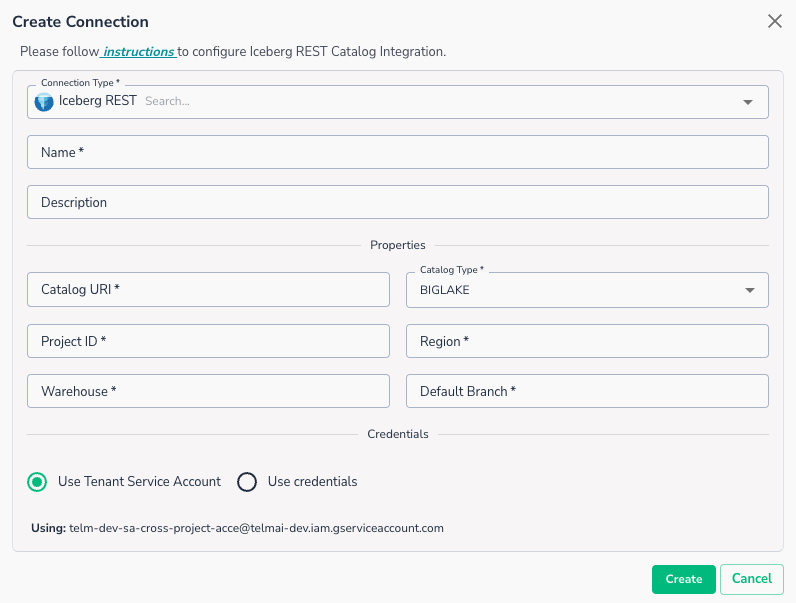
To setup connection to Iceberg REST metastore, you will need to provide
- Catalog URI: Enter the REST catalog URI for your BigLake Metastore.
- Project ID: GCP Project ID where the metastore exists
- Region: GCP region for metastore
- Warehouse: Warehouse name
- Default Branch: Default table branch name
Required Permissions
The following permissions are required to enable reading data from BigLake:
On BigLake side, you will need to grant:
Big Lake ViewerService Usage Consumer
On the Storage Bucket used by BigLake, you will need to grant:
Storage Object Viewer
Connecting an Asset
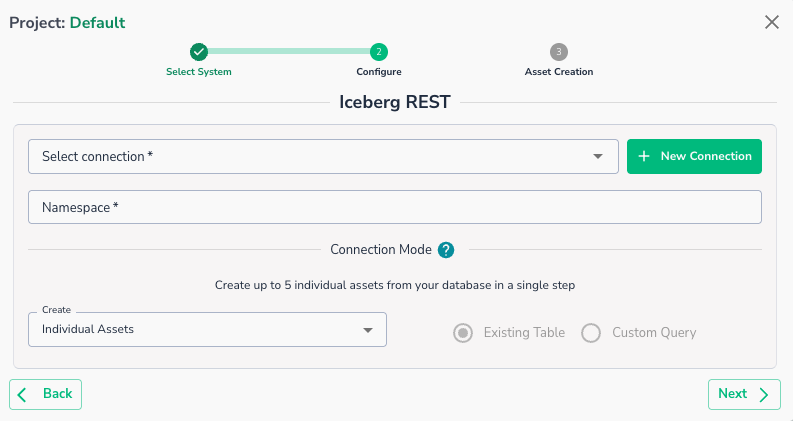
Once a connection is defined, you can start using it to create assets. To create assets, you will need:
- Target Namespace
- Next step will show you available tables
Warning
Custom SQL Query is not currently supported for Iceberg connections
Warning
Delta scans is not currently supported for Iceberg connections
Once defined, you will be able to see your data asset in Actian Data Observability.