Data Health Overview Page
The Dataset Health Overview page provides insights into a dataset's status and attributes during a specific scan.
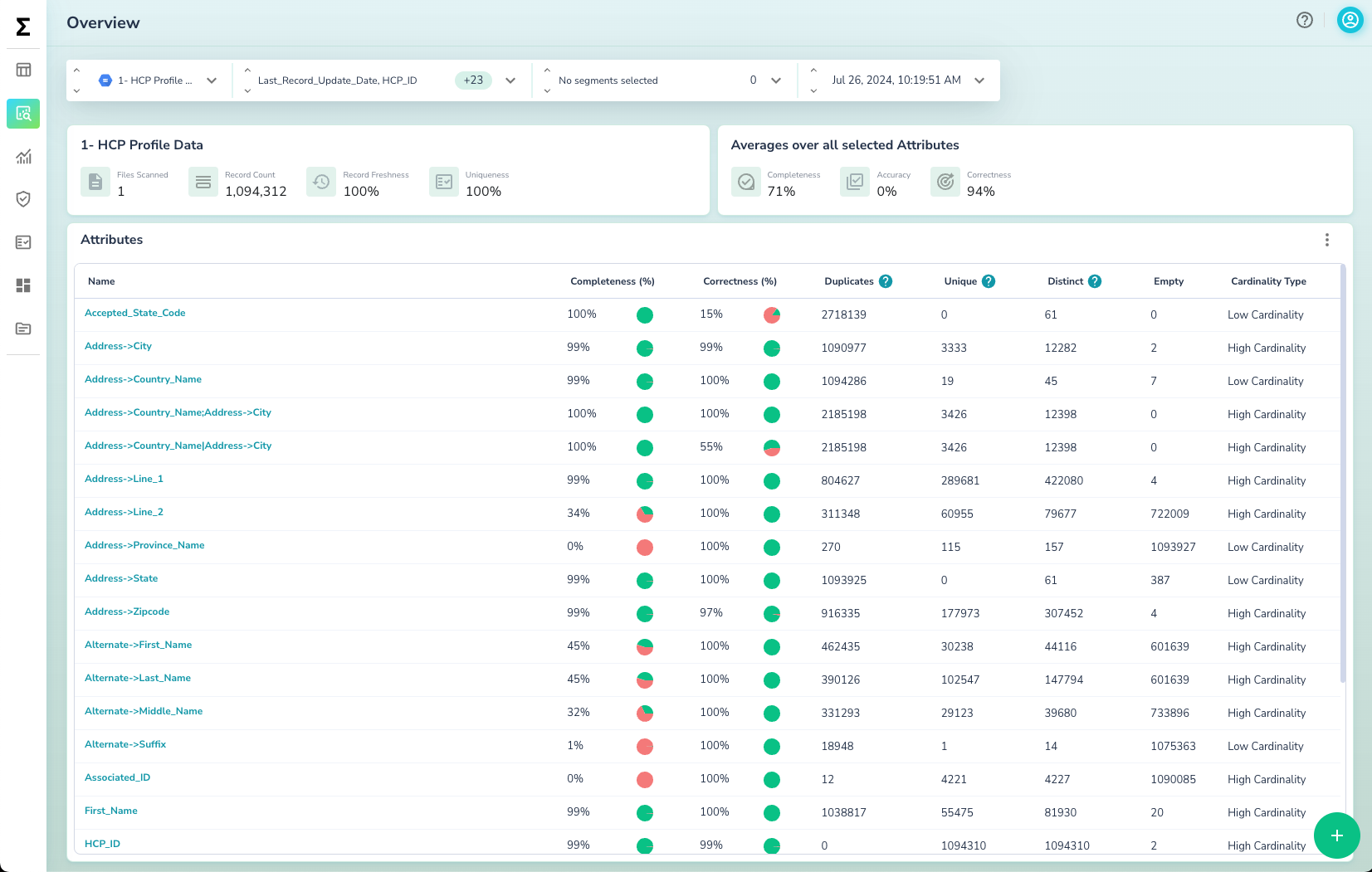
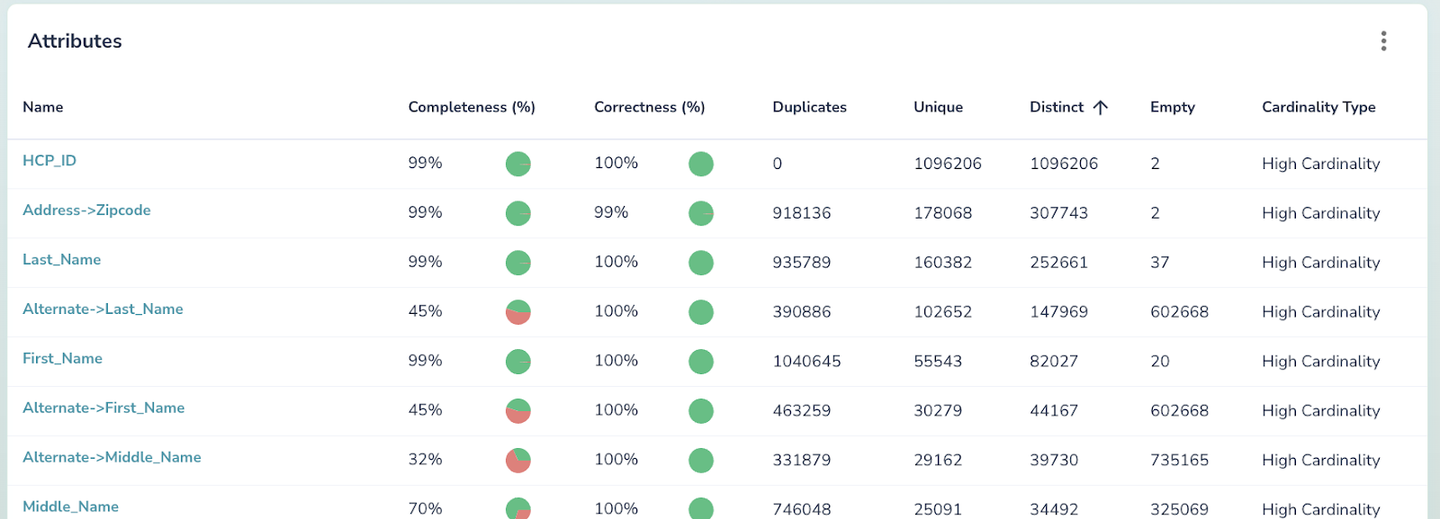
On this page, you can see the Health KPIs defined in Calculated Health Metrics. You can also see attribute-level metrics:
| KPI | Description |
|---|---|
| Duplicates | Number of records with duplicate values in the attribute |
| Unique | Number of records with unique values in the attribute |
| Distinct | Count of distinct values in the attribute |
| Empty | Count of empty values, including nulls or empty strings, in the attribute |
| Cardinality | The cardinality of values in the attribute, indicating whether it's low or high |
Note
For all attribute-level metrics, table-level metrics are calculated as the average across different columns.
Selector Component
The Selector Component allows you to customize the data view by selecting:
- Dataset: Choose the dataset you want to analyze
- Attributes: Select the attributes to calculate metrics on
- Segments: Filter the data based on specific segments
- Scan Time: Select the time of the data scan

Health KPIs Summary
The Health KPIs Summary provides a quick overview of key Data Quality KPIs at both the table and attribute levels.

Attribute(s) KPIs
For each attribute (or column), Actian Data Observability calculates and displays the corresponding profiling metrics.