SQL Based Rules
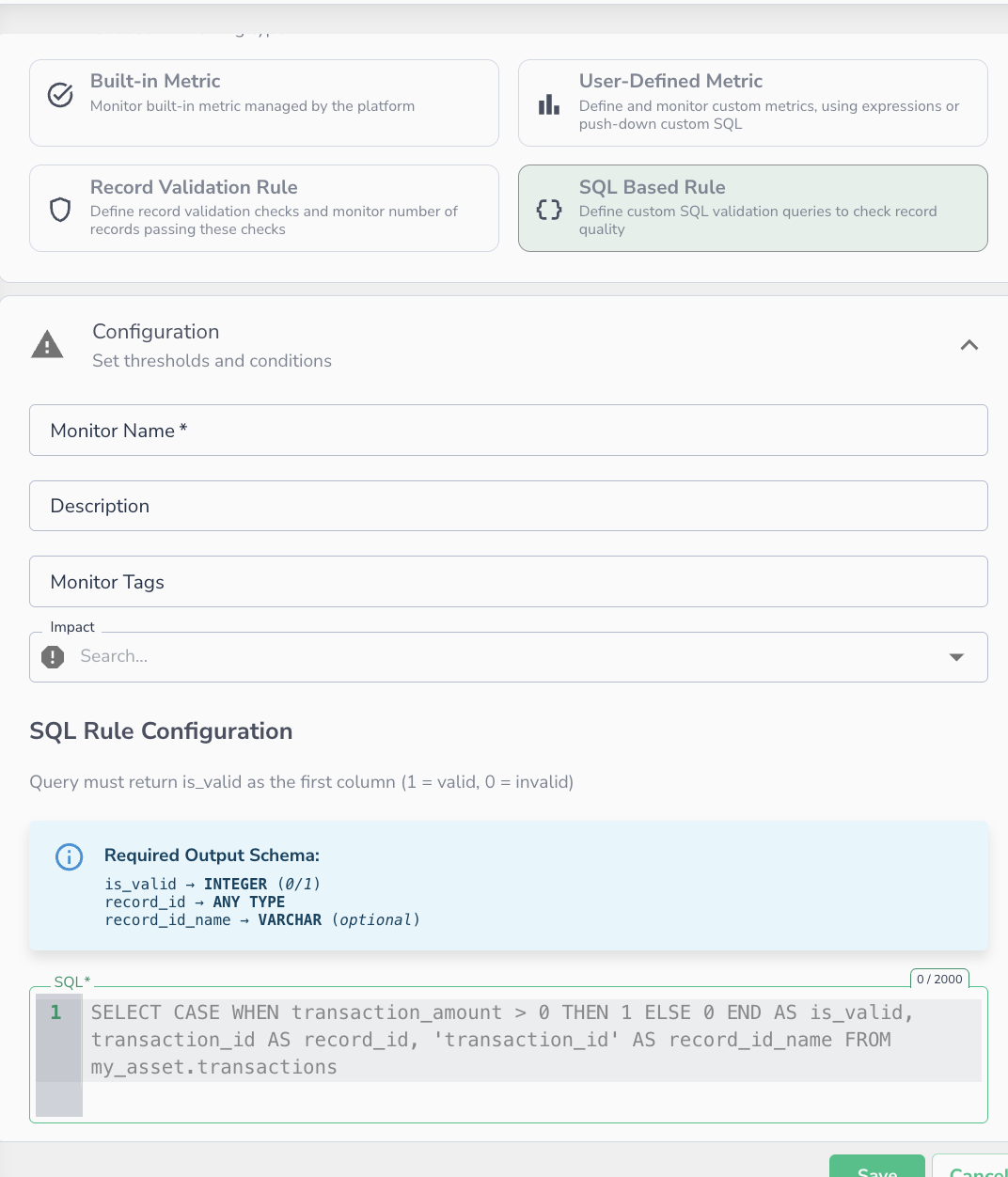 Creating an SQL-based rule monitor — write a pushdown SQL query to define record-level validation logic.
SQL-Based Validation Rules give you full SQL pushdown for record-level data quality checks. Instead of Data Observability's rule expression builder, you write a standard SQL query directly against your data source. Data Observability executes it natively on the compute engine (Snowflake, BigQuery, Databricks, etc.) and ingests the results.
This is ideal when:
- Your validation logic is complex and already expressed in SQL
- You need to join across multiple tables or use warehouse-specific functions
- You want to reuse existing SQL-based data quality checks without rewriting them in DSL
Note
SQL-Based Validation Rules follow the same Correctness metric model as Record Validation Rules. The key difference is execution: Expression rules run inside Data Observability's Spark engine, while SQL-Based rules are pushed down and executed natively on your connected data source
How It Works
You provide a SQL query (Q) that Data Observability executes against your data source. The query must return a specific output schema. Data Observability reads the results and computes the Correctness metric as the percentage of records where is_valid = 1.
For example, for a table with 1M rows: if 50,000 records return is_valid = 0, the Correctness score is 95%.
Query Structure
Your SQL query must return columns in the following exact order:
| Column | Type | Required | Description |
|---|---|---|---|
is_valid |
Integer | Yes | Validation result. 1 = valid, 0 = invalid. |
record_id |
String or Integer | No | The unique identifier for the record. Used to surface failing records in the UI. |
record_id_name |
String | No | A static label for the identifier field. Used as metadata in incident drill-downs. |
Warning
Column order matters. Data Observability reads output positionally. is_valid must always be the first column, followed by record_id, then record_id_name.
Example Queries
Minimal — Validation Result Only
With Record Identifier
SELECT
    CASE WHEN transaction_amount > 0 THEN 1 ELSE 0 END AS is_valid,
    transaction_id AS record_id
FROM my_asset.transactions
Full Output — With Metadata Label
SELECT
    CASE WHEN transaction_amount > 0 THEN 1 ELSE 0 END AS is_valid,
    transaction_id AS record_id,
    'transaction_id' AS record_id_name
FROM my_asset.transactions
Cross-Table Join Validation
SELECT
    CASE WHEN o.status = 'CLOSED' AND p.paid_at IS NOT NULL THEN 1 ELSE 0 END AS is_valid,
    o.order_id AS record_id,
    'order_id' AS record_id_name
FROM orders o
LEFT JOIN payments p ON o.order_id = p.order_id
Conditional Logic with Warehouse Functions
SELECT
    CASE
        WHEN region = 'US' AND TRY_CAST(zip_code AS INT) IS NULL THEN 0
        WHEN region != 'US' AND zip_code IS NULL THEN 0
        ELSE 1
    END AS is_valid,
    customer_id AS record_id,
    'customer_id' AS record_id_name
FROM customers
Creating a SQL-Based Rule
- Navigate to Alerting Monitors and click New Monitor
- Choose SQL-Based Rule as the monitor type
- Enter a monitor name and optional description
- Write your SQL query following the required output schema above
- Validate and save the rule