Hive Metastore
Connect using Hive Metastore with HIVE or ICEBERG catalog type (GCS & S3)
Feature only supported for GCP & AWS deployments (GCS & S3 metastore)
Creating a Connection
To set up a connection to Hive Metastore, provide the following:
- Thrift URI: The Thrift URI used to connect to the Hive Metastore using the Thrift protocol.
- Location Type: The type of storage where physical data files are present — GCS or S3.
- Catalog Type: Choose HIVE for a standard Hive catalog, or ICEBERG for an Iceberg catalog hosted in Hive Metastore.
GCS Credentials
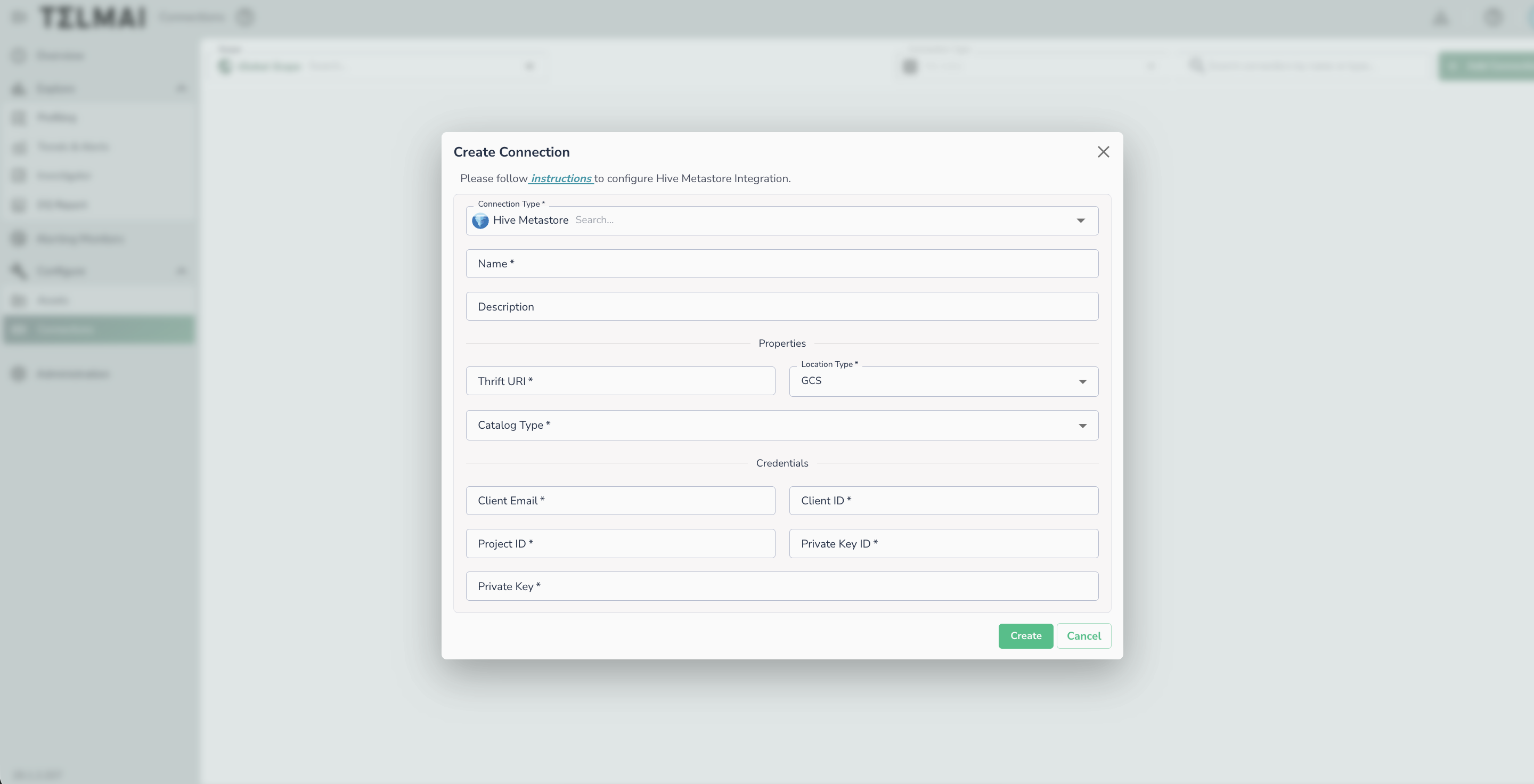
| Field | Description |
|---|---|
| Client Email | Service account email address |
| Client ID | Service account client ID |
| Project ID | GCP project ID |
| Private Key ID | Service account private key ID |
| Private Key | Service account private key |
The specified GCS service account credentials should have read-access to the Hive Metastore warehouse. In the case of a private cloud deployment, write-access to the Actian Data Observability internal storage bucket must also be granted to this service account.
S3 Credentials
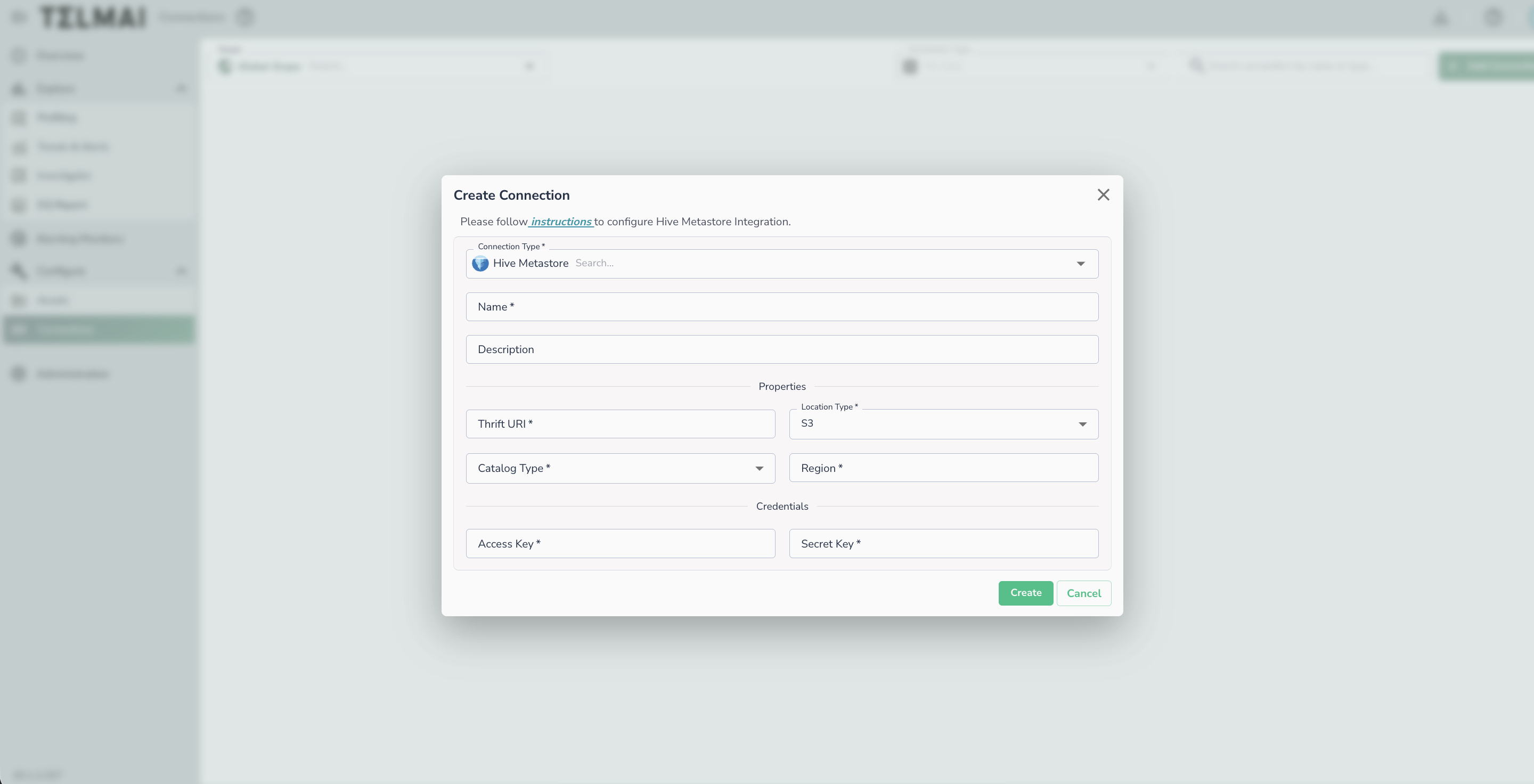
| Field | Description |
|---|---|
| Region | AWS region where the S3 bucket is located |
| Access Key | AWS access key ID |
| Secret Key | AWS secret access key |
Connecting an Asset
Once a connection is defined, you can start using it to create assets. To create assets, you will need:
- Database name
- The next step will show you available tables
Warning
Group scans are not supported for Hive Metastore connections.